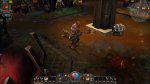
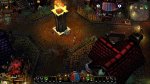
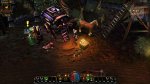
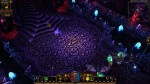
Category: Darkstone

  • Ooh…Shiny keys

    WARNING: Potentially boring technical stuff below. Oh and it’s probably unnecessarily long

    Whenever I’m feeling a lack of drive to work on a particular project, I tend to stray to something else till that motivation returns. Although I strive to stick to one project, I do need brief diversion to replenish my enthusiasm now and then. Sometimes, that means working on one of my other projects for awhile. Like this week, I took a brief detour back to my Minecraft project. But other times, I just let my more analytical side run wild…..

    Distractions

    Besides art, I really enjoy the technical aspects of computer programs. I’m perfectly at home trying to decipher file formats and learn out the hows and whys “behind the curtain”. Sometimes it can give insight into the decision-making that led up to some design choice or the other (e.g. how SET files are mostly walls and floors but the outside ground textures are individual IMG files even though they are used in a “SET”-like fashion). Other times, it just gee-whiz knowledge such as  Darkstone can handle high resolution texture or that TES:Arena’s root directory is also the file override directory (overrides the files for the game). I freely admit that I just enough to know I don’t know enough. I can analyze files (e.g. using a hex editor to examine the file byte by byte) but not enough to find the answers I want.

    A.EXE

    That is how I discover odd things here or there about games that I’m working on. Quite awhile back, I discovered that the Arena executable file (a.exe) was compressed. This immediately led to me wanting to uncompress it. It didn’t take me too long to find a dos unzip tool then I just loaded Dosbox then ran the tool from within the dos environment. It was fun for me just to have gotten that far. The executable still worked but it wasn’t as if that opened a treasure box of discovery. The main thing I found was text inside the executable that is used in game however I don’t know if editing it would cause something to break (might be worth trying sometime). Sometimes compression isn’t about size but speed. The computer can load more into memory then uncompress it on the fly. However, that isn’t really relevant to TES:Arena anymore 😉

    DOS DEBUG

    Occasionally  when I’m bored, I load the Dos debugger version of Dosbox. It’s basically the same program that emulates Dos but with a debugging window so you can see “what’s going on in the background”. While I don’t have nearly enough skillz to understand how to copy memory from registers and other such jazz, it has shown me what files were loaded when  particular dungeon or city was entered and that has proven helpful a few times already as I tested my mod. I know it’s possible (in theory) to use the debugger to find the routine for the IMG files that use that difficult compression. Also, one might be able to wait till one of those IMG files are loaded in memory (and thus already uncompressed) and then pull it out of the memory register….no idea how to do it though. (I told you I know enough to know I don’t know enough). I would really like to see if the IMG files would still work “uncompressed” but don’t know how to make that happen.

    MIFs

    All TES:ARENA levels are detailed out in the MIF files while the textures, sounds, etc. that they load are listed in the INF files. Think of a MIF as locations outlined out on graph paper. They determine the layout of all locations: cities, dungeons, stores, etc. INFs are more like the map key dictating what the dungeon will look like aesthetically.  With preliminary exploring with a hex editor , I found each MIF has a specific INF listed in it’s “code”. So when a MIF is loaded, it searches for the INF and loads all textures and sounds from that particular file. If we ever manage to decode the MIF format, we could theoretically create new levels and hand design them too. Occasionally, I’ll load one up but honestly, but I don’t get far (it doesn’t mean I can’t have fun trying).

    INFs

    INFs on the other hand, are all plain text. You’d think that would make them easy to decipher but the format is only partially obvious.  I have fiddled with changing pieces here and there to see the effect in game but only a little and I haven’t found much. There are some odd switches that didn’t seem to have any (obvious) effect on the starter dungeon. I will probably map the INF file structure out at some point when I have more time (ha ha). The bigger problem is that I think the INFs maybe loaded with extraneous junk that doesn’t get used in game. For example, the starting dungeon only has one floor and one exit with no entrance but the file not only list an entrance file but also 6 alternate files sets as well a listing of all the monsters in the game even though only a few are used in that level. My theory is that they used a base template to start with then altered it from there. This confuses the matter if a texture is used in game or not if each level list many textures that aren’t used for that level. It could be trimmed down if I we knew what the structure of the MIF files and could see if those listed IMG files are actually used in that level. Maybe in time.


  • Darktone…another old (but not abandoned) texture mod

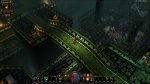
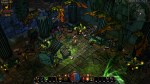
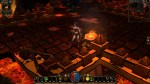
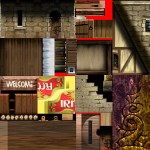
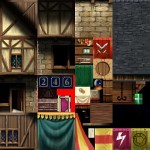
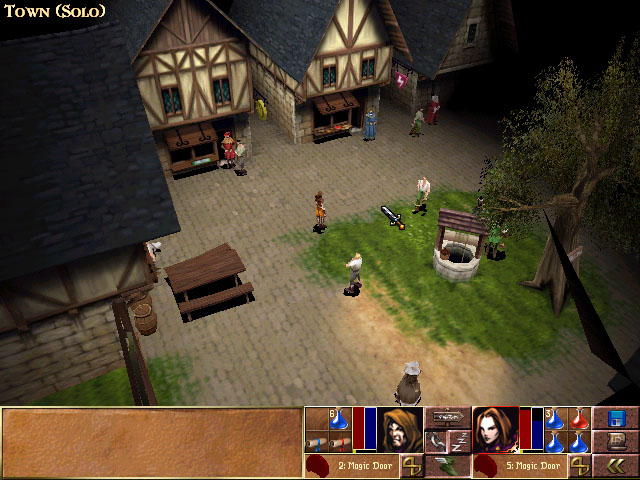
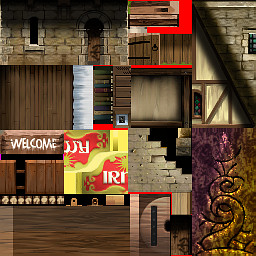
    While I haven’t found my most recent version of the Torchlight mod, I did find my proof of concept file for a texture mod of the pc game Darkstone. Although all the Darkstone media assets are stored in “container” files like my other projects, Darkstone art files are a little different when extracted. Unlike Torchlight and Morrowind that have individual files for each image, Darkstone has what I call “image sheets”. I posted about it before but that was quite some time ago. Basically, it means that one “sheet” will be composed of many images fit together like a puzzle and in reality is actually a dozen or so art assets in one “sheet”.

    Town building image sheet for Darkstone

    Town building image sheet for Darkstone

    Arena and Minecraft “sort of” do something similar. Both of them use a combination. Arena has multiple file types for art assets (some undecipherable) which include IMG files (single image) and SET files (multiple art assets stacked on top of each other in one picture). Minecraft *has/had individual files for items and such and one big image sheet for all environmental “blocks”.

    *Newer versions of Minecraft are all separate image files

    The difference in the Darkstone “image sheet” is that all images are not the same size. It takes a little extra experimentation to figure out where some textures start and where some end especially for textures like grass and sand that blend together naturally already as it is.  Depending on my needs, I’ll either use the solid blocks of color or shapes (number, letter, etc).

    As I said, my Darkstone work was merely in the proof-of-concept stage. I had only completed 1/2 of one texture sheet. It was enough to redo some grass and road as well as the trees of only the beginning town (textures aren’t shared across levels). After finding my “sole” texture file, I fiddled with a little and worked on the rest of the grass and road for the level (which included a second image sheet) . However, it is all in the draft stage and needs major cleaning up before I would be happy with them.

    I have revised the cobble stone to be less “busy”. I tried to use the same style as the other colors (outlines lighter than interior color) but the game keeps altering the colors so I think it can’t handle subtle shades of gray and black. Whenever I get back to this project, I’ll clean up the lines and make sure the grass isn’t so…squiggly.

    – Martin

  • 1 step forward 2 steps back…

    Several years ago when I first started messing around with computer graphic art, I tested out visual concepts on a PC game called Morrowind (the third in the Elder Scrolls series that Arena started) . Although Morrowind was where I tested the waters, it was another game called Torchlight that became the focus of my first big project I “cleverly” decided to call Toonlight. Initially, I tried to change the art assets in bulk by using the various filters built into the GIMP software. However, while the end results were interesting, I didn’t find them very pleasing aesthetically.

    So I took those results and experimented a little more by testing different tweaks and changes. Eventually, I narrowed down the look I wanted to pursue. Since I found the game art interesting but bland, I decided my goal would be to make it more vibrant and add cell-shading style lines. Surprise, Surprise 😉 I just felt that the WOW-esque muted coloring made the environment less interesting, washed out and a lot of detail.  So I started adding “black outlines” and redoing each texture by hand. Then I would test them in-game. Each art set for the various types of levels were already separated into individual folders labeled “levelsets”, so I worked my way from one levelset to another. I was even close enough to completion that I thought I could beat Torchlight 2 being released. I had reworked almost all the level artwork and many of the monsters and props. However, I was in the midst of moving and my motivation waivered and the mod drifted down the priority list.

    Recently, when I started recollecting all my data from various hard drives (including 2 that were on their deathbed, CDRs and memory sticks, I discovered my art files for Toonlight and my other “on hold” mod, Darktone, were missing and the only thing left was a very early version of my Toonlight mod. Although this is a tragedy for most, I had learned so much from working on that project (and had so much fun) that I don’t consider the time wasted. On top of that, upon further review, I found myself not overly satisfied with the few levels I did recover. The initial mine levelset now seems too sloppy for my tastes, the crypts are a little too green and non-descript in a few areas, and the sunken temples levels are a TOO busy. Only the lava level still pleases me but some of it didn’t get recovered. I’m still searching for them but worse case scenario, I have enough recovered to springboard myself back into the project. With that said, I’m focused on my Arena mod. Once I have gotten as far as possible, I will resume my other projects.

    So where does that leave me…same as before. I still plan on completing it. One aspect all my art mods have  in common (except Minecraft) is that they are older games that I’m doing for my personal enjoyment. I don’t feel the need to adhere to a timetable before the games become “irrevelant”. Arena was released over 20 years ago!

  • Where have I been?

    Over a year without a post. Whoops. I have a plan to redesign my site slightly to more suit what I want to do with it. Right now the information I want to convey doesnt’ flow naturally or intuitively. I’ll fix it.

    Till then, let me layout what projects I have in the works on the mod scene. These are only listed in chronological order from when the game was released.  Each will have corresponding links to the right for their particular projects in the short future.

    1. Arena

    That’s Elders Scrolls 1 for those of you in the know.  1994 game that hasn’t really been modded since it wasn’t a common activity back then. I have a texture pack in works with the aim of making it easier on the eyes.  I don’t have a catchy title yet so it’s just “Arena Depixelization Project“. I have all the processes down and have completed several textures (SET files) and tested them in-game.

    2. Darkstone

    This is another game that I have a soft spot for. And this is another texture overhaul project. This one will be titled “Darktone”. It’s kind of Tron/neon inspired…sort of.  All the file structure sleuthing stuff is (long done) and I have already had a proof of concept test run and It turned out better than I hoped.

    3. Morrowind

    Unlike the others, my Morrowind projects are not texture (art) based. They are more of design projects. I’m basically taking old mods and renovating them with a complete overhaul: new terrain, added clutter, dialogue, expanded quests etc. I’ve gotten quite good at the Morrowind file structure and using the editor. PMR stands for Pinkerton’s Mods Renovated…to kind of brand name it.

    • PMR-Sea of Destiny: Phase one is released. It’s basically how it all started. I was “cleaning”, merging, and moving one mod but realized how much work it needed. Now I have plans to terraform the entire mod and add a sense of history and purpose.
    • PMR -Dragon Perch: This one is almost completely redesigned but still needs dialogue and more/better quests.
    • PMR-Tusar: The very first mod I tried to monkey with was “Island of Tusar”. I actually ended up doing alot to it but haphazardly because I was learning/experimenting. So I plan to start over and now it’ll come after PMR-Dragon Perch.

    4. Torchlight

    This project is also a complete texture overhaul that I’m calling “Toonlight“. I had already completed every level set in the game but this was the one I learned how to use GIMP (can’t afford Photoshop yet) and its many options. So by the time I finished the last set, I was unhappy with all the others. Now I have a good idea of what I want and one levelset completed. Since Torchlight 2 came out, it gives me breathing room to get it exactly how I want it (i.e. who knows when I’ll finish it).

    5. Misc

    There are some miscellaneous projects I am working on (or did work on) that aren’t major. I’ll have a category for those too.

    I’m going to try to have one update a week probably on Sunday.

    -Martin

  • From Darkstone to Arena

    After getting the art files “extracted”, I expermented some with changing them using GIMP. For Darkstone, the art files (particularly for the ground and buildings) were a single picture composed of many smaller pictures.

    The game engine would know that if it wanted image X it would have to look at a specific piece of art file Z. This meant when I wanted to change one art asset, I could edit 16 different ones at a time. To test it out, I would just draw a letter or number in a huge obvious way on top of the exisiting art for each distinct section. Then when I loaded the game and look for where that letter or number appeared in the game.

    The problem I ran into with Darkstone was the changes didn’t take at first. I had to troubleshoot why. It turned out to be a issue with how the file was saved.  Darkstone required textures to be saved without any file compression. I simply had to resave the file “uncompressed” and it worked. With Darkstone, at that time I didn’t have any clear direction for what I wanted to do. It was more of a trial run to see how it all worked. Experiment done, my attention drifted away from Darkstone. It was more an issue of time since I didn’t have much so I would work on this a little here and there when I felt like it. Though later I would come back to Darkstone with a more focused purpose.

  • It all began in 1999…well kind of

    A while back I happened across a website that detailed instructions on how to install an old PC game called Darkstone on Windows 7 64bit. Apparently, although the game ran fine on that operating system, the games “installer” didn’t and thus you couldn’t get to the “game running fine” part.  Now I’ll admit I get a tad nostalgic towards Darkstone. I’m not even sure why, since I didn’t really play it that much. Regardless, I was driven to reinstall it and give it a whirl just for giggles.  When I did, I found that despite the very old graphics (I think it ran at 640X480 which is very low resolution by todays standards.)

    I did enjoy the 1/2 hr that I played with it. But I didn’t enjoy the color scheme. It was generic and ….well.. too yellow. This got me imaging what the game would be like with a darker and more unique style to give it some character. So on a lark, I did a quick internet search to see if anyone had ever “modded” the graphics (in-game artwork). They hadn’t which was unsurprising for that era of games not named Quake or Half-life.

    Here it gets a little technical so bear with me. Most games stored their art “assets” in an archive or container file. Usually just a big file containing all the individual game art files inside. I figured out that in Darkstone’s case, this file was DATA.MTF.  Many developers would use a unique file type for their “container” files, often something made up in-house. (Sometimes they even use simple encryption to make “extracting” the files with in difficult).  Another characteristic they tend to share is having a directory within the “container file” that pointed to the exact spot in said file that individual files are starts.

    So if one was looking to alter the artwork of a game, they would need to “extract” the artwork either using an existing program (if there is one) or by making a program that would do that.  Many popular games have their own utilities made by the enthusiastic community but as you can imagine many older games do not (as was the case of Darkstone).

    Now for whatever reason, I saw this as a challenge. I was determined to find a way to “extract” the artwork out of the MTF file that they were stored in. The problem was that I don’t know how to write a computer program. Fortunately, after more research, I found that there are some “universal” extractors that support many popular file formats targeting game archives for the purpose of modding a game.  I ended up going with Game Extractor by Watto Studios, it has not been  updated since 2009 but the game I needed it to work on was from 1999. (I have fiddled with two others that would probably do the trick too…. Dragon Unpacker and Xentax’s MultiEx Commander..more on Xentax in a bit).

    The problem was that Game Extractor didn’t support Darkstone’s special MTF file format. But I saw that it supported custom script files (BMS) for unknown “archives”. A little search took me to www.xentax.com , a website with a healthy forum dedicated to the very exact problem that I was trying to solve (albeit for other games). They are also home to MultiEx Commander which apparently once include the guy who later created Game Extractor. After searching the forum, I found a message thread on how to analyze an archive and make a custom BMS script. Using a “hex editor” (if you don’t know…you don’t want to know) you can decipher pieces of the container file and figure out how it is layed out. Based on that info , you can then make a script. So I followed the detailed (and deceptively simple instructions) and was able to create my first (and only…so far) BMS script to extract files from the MTF file. AND IT WORKED! I felt very accomplished that day…and quite nerdrific. Challenge completed!Now what?

    Well, I got them all out but hadn’t planned past that. I hadn’t yet quite caught the “digital art” bug yet, but it did occur to me that it’s not such a big deal if you can’t edit the files and see it in-game. I got lucky (kindof)  on this one. As a way to make “patching” a game easy, developers will usually make files “outside” the container file (usually in a specific subdirectory) override the original artwork in the container file. So you could change an “extracted” file see it in-game. But if you didn’t want it, you could just delete it and the game would default back to the “container” file.

    A key factor for artwork is determining the format that the game will accept. There are many formats of image files and with each format many options to choose from (size, number of colors, color depth, compression, etc). File type is usually easy. Most games stick to common filetypes. This is determined by the image files “extenstion”. The “extension” is the three letters at the end of a filename right after the period. In the case of Word documents the “extension” is “.doc”. Occasionally (particularly with really old games), the developers will use a custom image format only the game can understand. Fortunately Darkstone use the very common TARGA (.TGA) image type….. (to be continued)