Tag: technical

  • RETRO POST : The long road to Arena

    Why Arena?

    *This post was originally drafted in 2012 but never submitted. I have revised and updated it.

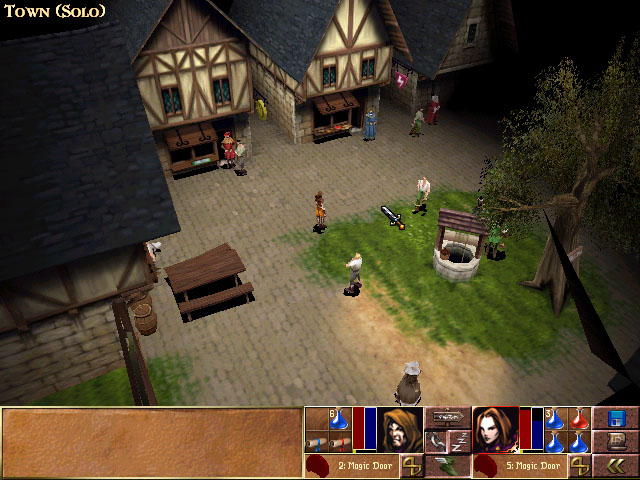
    The next brief diversion was an even older game called The Elder Scrolls:Arena. It is the first game in one of my favorite video game series and I did play this one a lot when it first came out in ’94.  I found a website that packaged it (and it’s sequel) in a neat, easy to install package. But, the low resolution graphics (320 x 200…trust me it’s very low) were so pixelly that it was hard to play and enjoy for me, particularly in the cities where anything in the distance was just a blob of small blocks.
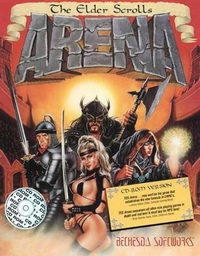
    ArenaBox

    Mods?

    After some quick checking, I found that there were NO graphic altering mods out there. No one on the forums seems to think it was even possible. I found that hard to believe and felt the “challenge bug” nibbling at my toes. I wanted to find out how to do it. But I only got as far as checking how the files were stored (container file ending in .bsa). I did find that someone attempted to remake the game (didn’t get finished).  It claimed to allow you to extract the art file out of the BSA file for you. BUT in actuality, it converts them to a common image format that the original game can not recognize and thus was not a viable option. Due to real life busyness (yes I mean busy-ness), this too faded to the background. Eventually, I did come back to it later (much like Darkstone) and succeeded in extracting all the files (using a old program).

    You did what?

    Even though the image files were not in any common standard format, I figured out how to open them in GIMP (free editing software). This involved loading the images as RAW images with a offset header of 12 (think “ignore first 12 bytes of file”) and then loading a special palette files.  I could then save it as a RAW image. The drawback to this method was that for images that had the 12 bytes that needed to be ignored (all the IMG files), the saved image wouldn’t have those bytes. That meant that I had to (BRACE YOURSELF) open the file in a hex editor (think super nerdy ), copy all the bytes, then open the original file and paste the copied bytes over starting at byte 13.  Then, I tossed that file in main file directory as the game. The only way to see how it worked was to load the game and look for the texture.  It was a overly cumbersome process that eroded my enthusiasm and by the time my “interest” (i.e. attention span) waned, I only completed 8 textures.  Although I moved on to a different project, I came back once in a while to do a texture or two. I deluded myself in thinking that over time (probably decades), I would eventually finish it.

    Progammer in Shining Armor

    It wasn’t until Hallfiry released his “Arena Modding Suite” that the project took off in a major way. His tool not only unpacked the entire BSA resource file (BSA = Bethesda Softworks Archive) but converted most of the textures into PNG files for easy editing. Afterwards, it could be used to “repack” the BSA easily without destroying the “working folder” and converting the files back to the original format. Besides some textures that used a funky compression, it had removed the technical barriers to changing images in the game. Now to date, I have completed 126 of 172 SET files (wall texture sets) with 12 additional ones that aren’t even used in game. The two biggest challenges for me now are: making unique interesting textures that work well in game (after having already made 126 of them) and figuring out how to do some of the more organic textures to match my style (since the pixel dimensions are very limited). 64 x 64 does limit the amount of creativity I can use.

  • It all began in 1999…well kind of

    A while back I happened across a website that detailed instructions on how to install an old PC game called Darkstone on Windows 7 64bit. Apparently, although the game ran fine on that operating system, the games “installer” didn’t and thus you couldn’t get to the “game running fine” part.  Now I’ll admit I get a tad nostalgic towards Darkstone. I’m not even sure why, since I didn’t really play it that much. Regardless, I was driven to reinstall it and give it a whirl just for giggles.  When I did, I found that despite the very old graphics (I think it ran at 640X480 which is very low resolution by todays standards.)

    I did enjoy the 1/2 hr that I played with it. But I didn’t enjoy the color scheme. It was generic and ….well.. too yellow. This got me imaging what the game would be like with a darker and more unique style to give it some character. So on a lark, I did a quick internet search to see if anyone had ever “modded” the graphics (in-game artwork). They hadn’t which was unsurprising for that era of games not named Quake or Half-life.

    Here it gets a little technical so bear with me. Most games stored their art “assets” in an archive or container file. Usually just a big file containing all the individual game art files inside. I figured out that in Darkstone’s case, this file was DATA.MTF.  Many developers would use a unique file type for their “container” files, often something made up in-house. (Sometimes they even use simple encryption to make “extracting” the files with in difficult).  Another characteristic they tend to share is having a directory within the “container file” that pointed to the exact spot in said file that individual files are starts.

    So if one was looking to alter the artwork of a game, they would need to “extract” the artwork either using an existing program (if there is one) or by making a program that would do that.  Many popular games have their own utilities made by the enthusiastic community but as you can imagine many older games do not (as was the case of Darkstone).

    Now for whatever reason, I saw this as a challenge. I was determined to find a way to “extract” the artwork out of the MTF file that they were stored in. The problem was that I don’t know how to write a computer program. Fortunately, after more research, I found that there are some “universal” extractors that support many popular file formats targeting game archives for the purpose of modding a game.  I ended up going with Game Extractor by Watto Studios, it has not been  updated since 2009 but the game I needed it to work on was from 1999. (I have fiddled with two others that would probably do the trick too…. Dragon Unpacker and Xentax’s MultiEx Commander..more on Xentax in a bit).

    The problem was that Game Extractor didn’t support Darkstone’s special MTF file format. But I saw that it supported custom script files (BMS) for unknown “archives”. A little search took me to www.xentax.com , a website with a healthy forum dedicated to the very exact problem that I was trying to solve (albeit for other games). They are also home to MultiEx Commander which apparently once include the guy who later created Game Extractor. After searching the forum, I found a message thread on how to analyze an archive and make a custom BMS script. Using a “hex editor” (if you don’t know…you don’t want to know) you can decipher pieces of the container file and figure out how it is layed out. Based on that info , you can then make a script. So I followed the detailed (and deceptively simple instructions) and was able to create my first (and only…so far) BMS script to extract files from the MTF file. AND IT WORKED! I felt very accomplished that day…and quite nerdrific. Challenge completed!Now what?

    Well, I got them all out but hadn’t planned past that. I hadn’t yet quite caught the “digital art” bug yet, but it did occur to me that it’s not such a big deal if you can’t edit the files and see it in-game. I got lucky (kindof)  on this one. As a way to make “patching” a game easy, developers will usually make files “outside” the container file (usually in a specific subdirectory) override the original artwork in the container file. So you could change an “extracted” file see it in-game. But if you didn’t want it, you could just delete it and the game would default back to the “container” file.

    A key factor for artwork is determining the format that the game will accept. There are many formats of image files and with each format many options to choose from (size, number of colors, color depth, compression, etc). File type is usually easy. Most games stick to common filetypes. This is determined by the image files “extenstion”. The “extension” is the three letters at the end of a filename right after the period. In the case of Word documents the “extension” is “.doc”. Occasionally (particularly with really old games), the developers will use a custom image format only the game can understand. Fortunately Darkstone use the very common TARGA (.TGA) image type….. (to be continued)