Category: Morrowind

  • Cork on a fork

    Cork on a fork

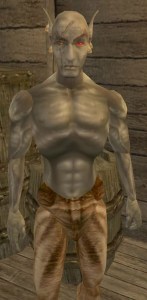
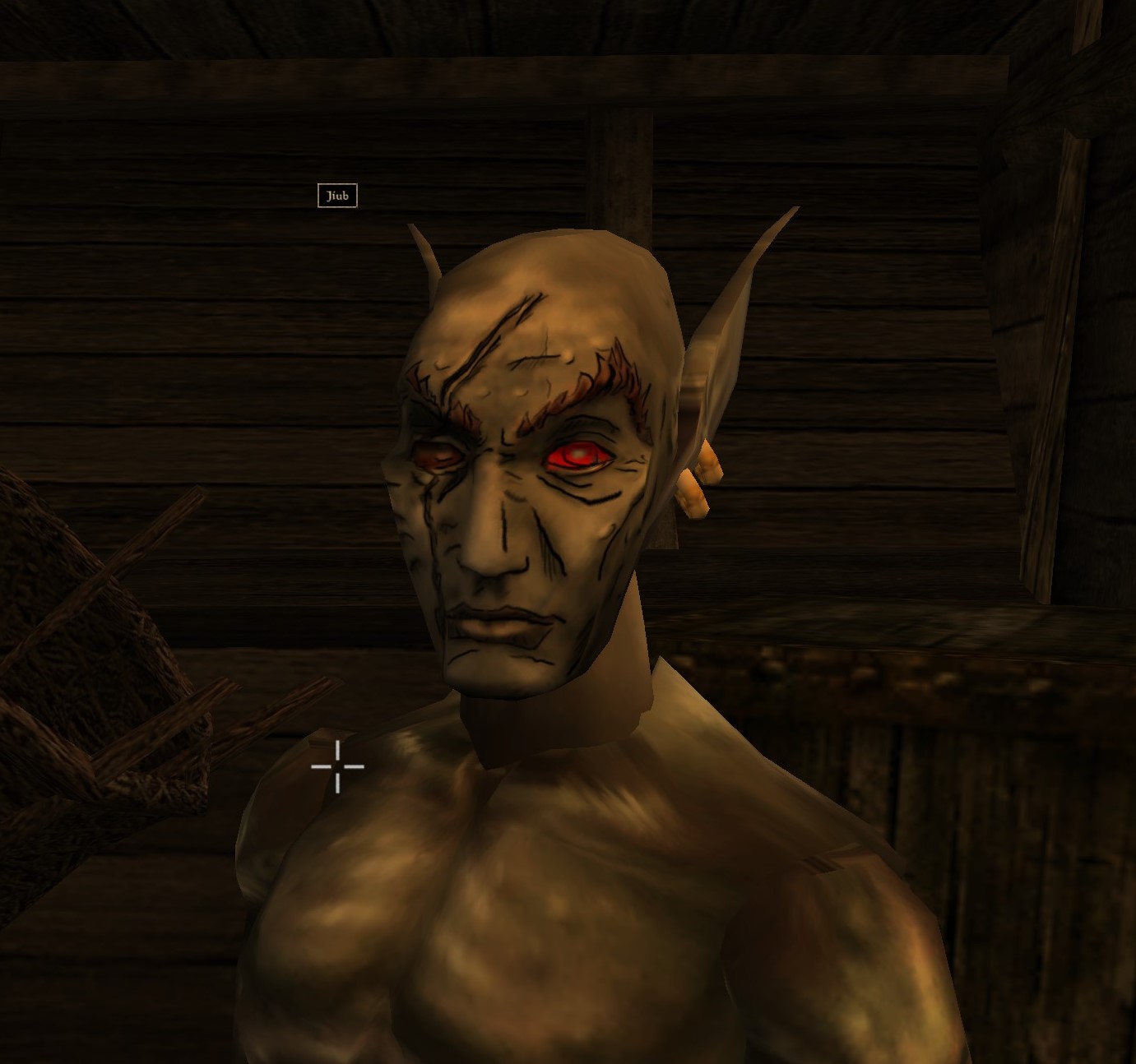
    This is Jiub. Jiub is the first person you see in Morrowind. He also has a fairly unique head so it was fitting to use him as my first experiment. Easy to test. This Jiub, being my first attempt, is a little crude compared to the later images. The transition as I refined the style is apparent. So here’s what I did.
     

    55fiqg
    I was watching you sleep

    Resize

    The initial resolution was 256 x 128 pixels. That’s not a lot of room for sharp lines and clarity. Additionally, it’s a good idea to work big and then shrink as needed so I resized the image to 2048 x 1024, keeping the aspect ratio but increasing the size by 8 times. As the fine lines of the borderland style are important, a higher resolution is preferable.  (I tested it when done and shrinking down to 512 x 256 looked OK but 1026 x 512 was ideal for size vs detail).

    Create layers

    I duplicated the image into two additional layers. I do this so I can have a pristine backup, a working copy and high pass copy (if needed). The high pass allows me to see the areas needing outlines more clearly. I don’t always use it but it’s handy if needed. I created a new layer that is transparent to be my actual canvas for the black outlining. Showing but underneath the active layer would be the working copy or the highpass copy to use as the base reference.

    Outline

    tx_b_n_dark elf_m_h09
    Jiub 1.0…crude untapered thick lines

    Like the video linked in my last post, I started creating outlines highlighting particular feature areas that stood out for change in shape. My  variation on this style leans more to outlining surfaces with changes in height but not color fluctuations (e.g. later on when I get to tattoos, I likely won’t outline the tattoo.) I looked for distinctive wrinkles and natural feature as well as abrupt marks like the scar.

    As you can see in Jiub 1.0, I failed to refine the lines after I finished outlining. I didn’t use shape dynamics or taper and thin out the lines. Crosshatching was also minimal.

    Check
    Jiub Vanilla Base to Borderland
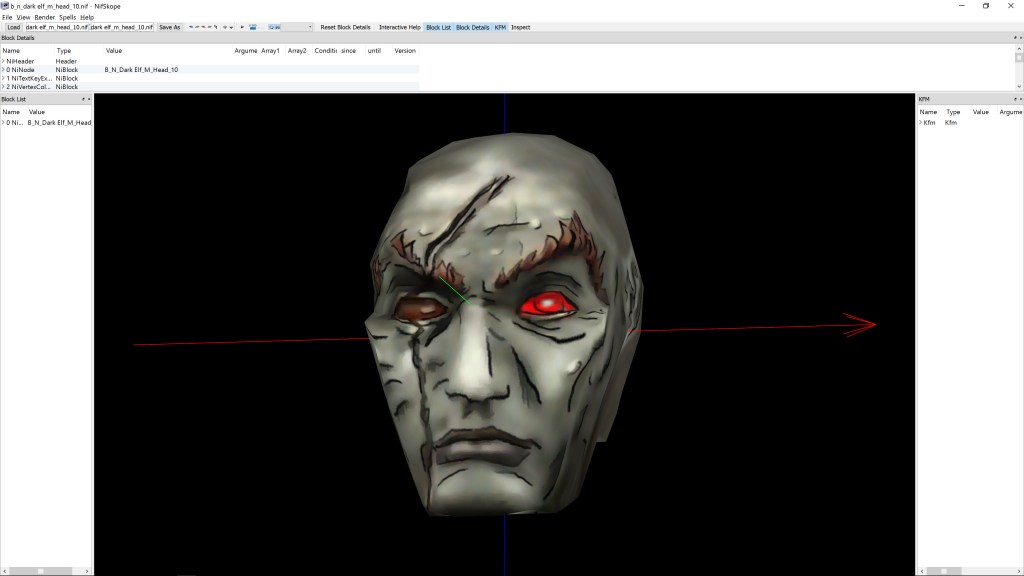
    NifSkope and Jiub 1.0

    I used a program called NifSkope that lets you see meshes rendered with textures and animation if applicable. It was there that I saw how odd the texture stretched due to the 3d model’s crude animation and UV texture mapping. The eyes looked really weird as the mesh just stretched down a single point to mimic blinking but the texture stretched the area above the eye down with it. The mouth opened up very much like the canadians in South Park. Because of that, I had to go back and adjust the lines to minimize the line bleeding when the textures stretched.  You can also see where the original texture has errors such as the red eye’s inner lower corner bleeding onto the eyelid.

    Tweak

    Because this is a more cartoon-like look, I experimented with using an unsharpen filter on the working copy of the original image to exaggerate the colors and then a smart blur to blend the blemishes away some. Additionally, I added shadows and highlights by drawing on a new layer black and white respectively at 50% opacity and then blurring it to look like light smudging.

    Next time, I show the other, more refined textures I completed AND Jiub 2.0.

    – Martin
    20160606075309_1
    He fell passed out drunk and the guards found a Sharpee
  • Wake up! You were dreaming.

    Early on

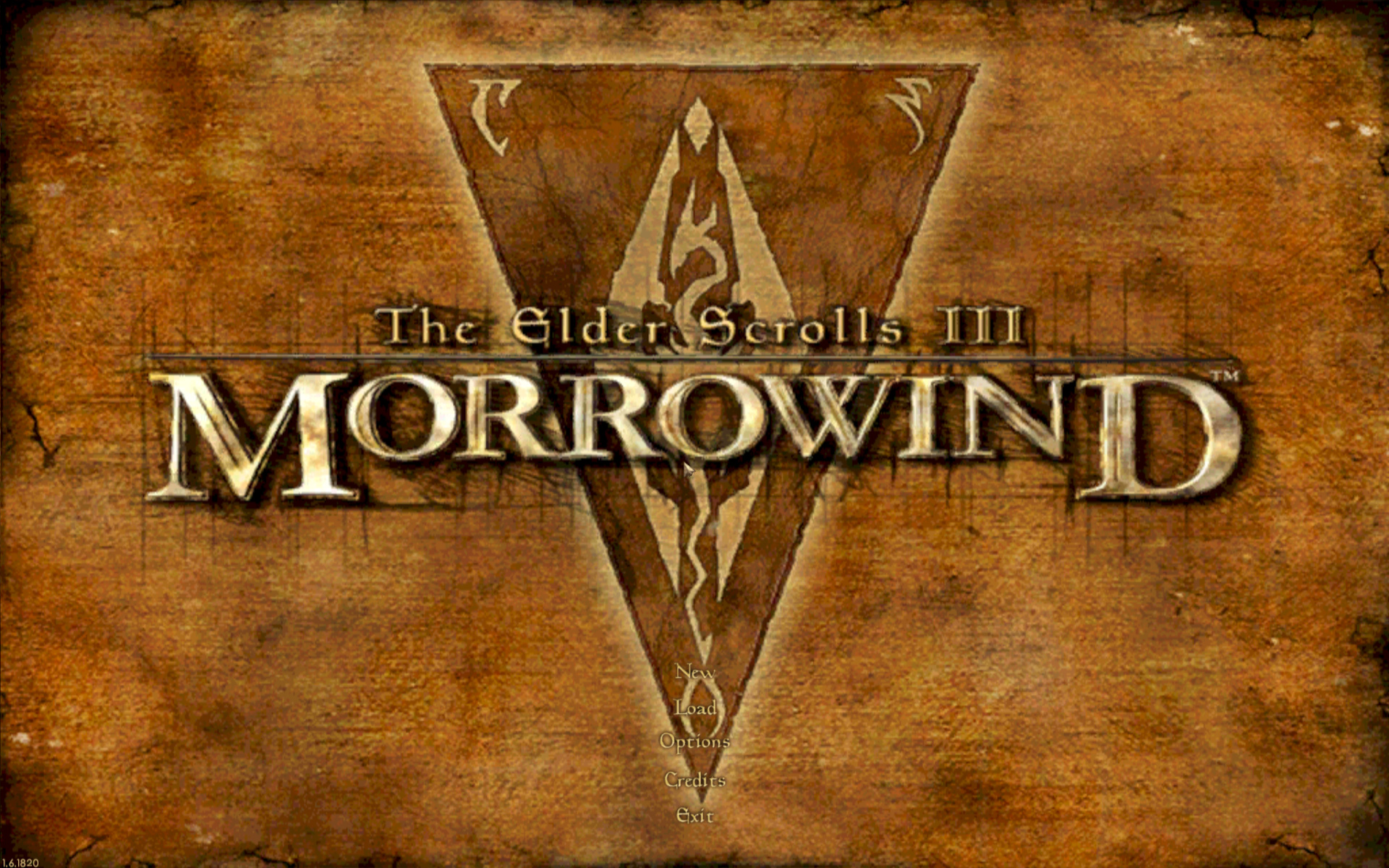
    Morrowind Main Menu (Original)
    Morrowind Main Menu (Original)

    Back about 4 1/2 years ago, I had just gotten into computer graphic design. I spent the first 1/2 a year experimenting and learning how to use the editing software (GIMP). One of the games I messed with was Morrowind, my favorite game. It wasn’t really meant for any project. I decided to make a desktop wallpaper of the main menu.

    At that time, I didn’t know much about GIMP or how to use it effectively. Additionally, I had just gotten my Wacom tablet and hadn’t become comfortable with it quite yet. To make it easy, I used the original Morrowind main menu texture as the base. Because of this, the end result was (and still is) useable in-game. I even went as far as retexturing the New/Load/Save buttons to match the theme.

    Morrowind Box Art

    It’s Alive

    I decided to use the box art as a supplementary inspiration when I began working on it. There were some key differences between the two; the major one being the border that framed the box art. I really liked the border and the “daedric” lettering on it. Unfortunately, my source copy of the box art wasn’t very good so I had to guesstimate when recreating them.

    Crayola version

    I did have a couple goals in mind with an overarching theme of applying a cleaner more art-lik

    • To boost contrast, the border was darkened and a similar color was used for the middle triangle.
    • The center was lightened with a complimentary but vivid color to liven up the image.
    • The “daedric” lettering was lightened up to look more dramatic and almost “glowing”.
    • A spot of white was placed on each “letter” and then the smudge tool was used to stretch that white color into highlights.
    • A level of depth was created by adding width and darkness to the inner edge of the frame. The “Morrowind” lettering was giving a simple perspective by adding a drop shadow angling to the lower right.
    • The dragon emblem was subdued so that it didnt’ overpower the wording. This also gave a subtle layer of interest.
    • Lastly, it hard to see but the entire image was given a paper texture filter to create a painted canvas feel.
    I use this as my background on my computer for inspiration
    I use it as my background on my computer for inspiration

    You never forget your first

    Most of these effects evolved through experimenting with the software and various visual styles that I had in mind. However the whole picture was hand drawn/partially traced using my art tablet. It’s not without it’s flaws and a level of crudeness to the picture shows my inexperience at the time. Despite all that, it is one of my favorite personal pieces because it’s the first complete computer graphic design work of mine.

    – Martin

  • Where have I been?

    Over a year without a post. Whoops. I have a plan to redesign my site slightly to more suit what I want to do with it. Right now the information I want to convey doesnt’ flow naturally or intuitively. I’ll fix it.

    Till then, let me layout what projects I have in the works on the mod scene. These are only listed in chronological order from when the game was released.  Each will have corresponding links to the right for their particular projects in the short future.

    1. Arena

    That’s Elders Scrolls 1 for those of you in the know.  1994 game that hasn’t really been modded since it wasn’t a common activity back then. I have a texture pack in works with the aim of making it easier on the eyes.  I don’t have a catchy title yet so it’s just “Arena Depixelization Project“. I have all the processes down and have completed several textures (SET files) and tested them in-game.

    2. Darkstone

    This is another game that I have a soft spot for. And this is another texture overhaul project. This one will be titled “Darktone”. It’s kind of Tron/neon inspired…sort of.  All the file structure sleuthing stuff is (long done) and I have already had a proof of concept test run and It turned out better than I hoped.

    3. Morrowind

    Unlike the others, my Morrowind projects are not texture (art) based. They are more of design projects. I’m basically taking old mods and renovating them with a complete overhaul: new terrain, added clutter, dialogue, expanded quests etc. I’ve gotten quite good at the Morrowind file structure and using the editor. PMR stands for Pinkerton’s Mods Renovated…to kind of brand name it.

    • PMR-Sea of Destiny: Phase one is released. It’s basically how it all started. I was “cleaning”, merging, and moving one mod but realized how much work it needed. Now I have plans to terraform the entire mod and add a sense of history and purpose.
    • PMR -Dragon Perch: This one is almost completely redesigned but still needs dialogue and more/better quests.
    • PMR-Tusar: The very first mod I tried to monkey with was “Island of Tusar”. I actually ended up doing alot to it but haphazardly because I was learning/experimenting. So I plan to start over and now it’ll come after PMR-Dragon Perch.

    4. Torchlight

    This project is also a complete texture overhaul that I’m calling “Toonlight“. I had already completed every level set in the game but this was the one I learned how to use GIMP (can’t afford Photoshop yet) and its many options. So by the time I finished the last set, I was unhappy with all the others. Now I have a good idea of what I want and one levelset completed. Since Torchlight 2 came out, it gives me breathing room to get it exactly how I want it (i.e. who knows when I’ll finish it).

    5. Misc

    There are some miscellaneous projects I am working on (or did work on) that aren’t major. I’ll have a category for those too.

    I’m going to try to have one update a week probably on Sunday.

    -Martin