Category: Art

  • Prodigal Blogger falls down well, not seen for months…again

    Prodigal Blogger falls down well, not seen for months…again

    WTF

    I meant this blog as a history of my art endeavors, not a graveyard. But I had this idea that I would wait till I finished the TES:Arena project before releasing my next post. So….about that. I didn’t finish ADP yet. I worked on it… um… some, but I got distracted. Between the dreaded real life or RL (yes, I have one of those) and other projects (including some for friends), I just never finished. I have worked on several disparate things since then. I am susceptible to what I call “Shiny Key Syndrome”. Despite not being a rabid blogger, not posting actually demotivated me. Weird. Well, here’s a pic to fill the space (it’s my first project related pic on this site):
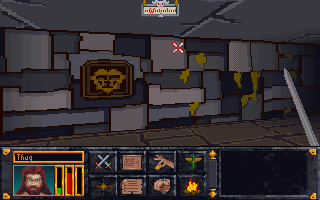
    Starting dungeon
    Starting dungeon

    ADP 123

    But first…yes Virginia, I will finish that Arena mod if it kills me….I mean maims me….or how about slightly vexes me…yeah lets go with that. No time lines…I think I proved that I’m terrible at that. I have finished doors but still need to do the framing to match the walls they are associated with. I hate to say this, but the extended time away has let me look at it with a fresh eye (no, no, no…. figuratively). I think I want to make some changes…BUT first I’ll finish what I have. It’s only fair for those who have stalked this project like an Ex on facebook.

    MAP or Monster

    Caveat: I know WAY too much about how Bethesda codes its mod files. I’d actually argue that I have a Master’s degree level of understanding for Morrowind and Oblivion (from Nerd University, Dork Campus). I find it more fun to make the “perfectly modded” game than I do actually playing it. Now that I’ve scared all the ladies away…why do I mention this… well, because this is my mega WIP…..

    AIP Oblivion Overlay Map NG+ experiment-Recovered

    This insane Frankenstein monster of map, it a comprehensive guide to where mods overlap each other. Using modding tools, I’m mapping out every cell from each mod I use plus a few uber popular ones I don’t. It’s insane, OCD, and insane. I love it…my analytic brain can’t get enough of making order where there is only chaos. What’s that look for?!

    MorrowLands 2.0

    Remember when I did lined faces for Morrowind. Yeah…that’s back….but better. I already have learned more subtle techniques. Not really a project as much as a continued experiment to perfect the style I’m trying for (hint: it rhymes with Borderlands) mixed with my vision. I’m still not completely feeling I have it how I want…I’ll come back around to it eventually, I’m sure.

    What’s behind door #3?

    The last project is the one I’m eager to finish (besides ADP) mostly because I think the game will most benefit from it. I’ll leave it a mystery for a little longer, but here is a hint:

    ScreenShot8

    Let’s have some fun again – Martin

  • The Prodigal Blogger returns

    The Prodigal Blogger returns

    Oh SNAP

    So I’m back after my extended work “vacation”. The inevitable has happened, some of my files were lost. Almost a year’s worth of work on the Arena project. I spent the last 2 weeks scanning hard drives and every USB key I could find, but to no avail. I honestly don’t know what happened. DOOM GLOOM DOOOOMMMM! Well, not really. I was delinquent in working on ADP over the last year, so I really only lost maybe 5 to 10 set files and a few very easy to create doors. I probably wasted more time looking for the files than it would have taken to recreate them. Added bonus is the last set file I posted on this page is the one I dreaded redoing… that’s what my kids call a “Free Ticket Booth”.

    Let’s see if I can be a little more diligent in my goal from now on AND make a decent backup plan to prevent any actual loss next time.

    – Martin

  • The madness of Fate

    The madness of Fate

    What are they doing? Seriously, some one tell me.

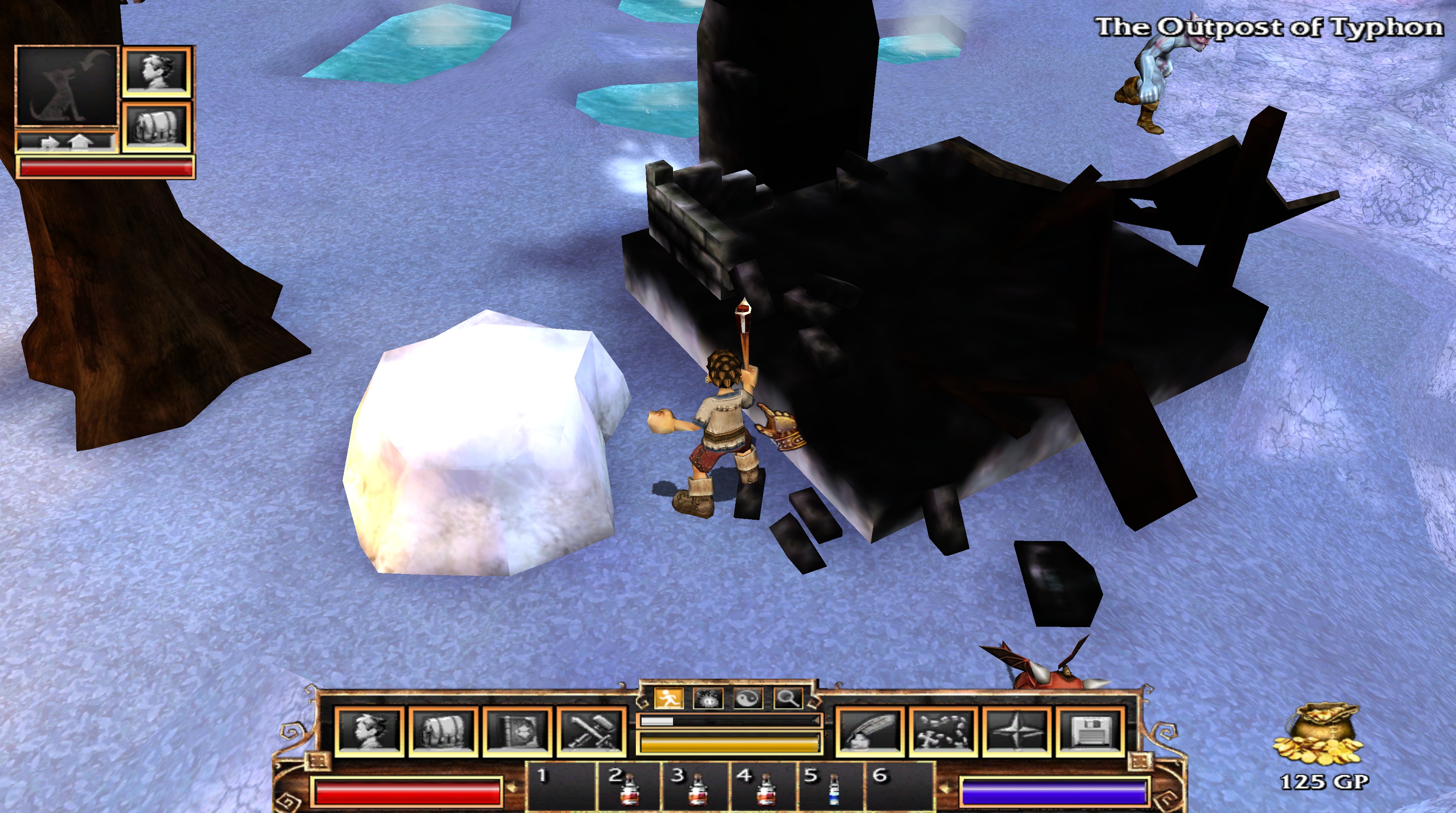
    I mentioned Fate converts the textures added at install from PNG to DDS. This conversion happens upon the initial run of the game, but also again if any of the converted textures go missing (which I use when I tweak textures and such). In addition to the main texture (or diffuse map), some textures had an alpha map (for transparency such as making the black on the sails below invisible). Then there are the “completemaps” that funk up the textures in game and honestly, aren’t well done in Fate. Such as the one I posted last time. It was supposed to be a burned down building, but it looked completely black despite the original texture having detail and actual color. After I rebuilt the texture, it still looked dark in the game. There was a peculiarity with the coloring and shading/highlighting with several of the textures. It was clear my changes were in place, but something was distorting the image.

    (CLICK THE PICTURES TO SEE THEM LARGER)

    You can see in the image that my version of the boat is much cleaner (and detailed). However, when I loaded the game, my textures showed but were muddied with blemishes shown in the first texture. I thought maybe it was an engine thing (e.g. when building levels you can “paint” shadows and marks on the 3D landscape like Morrowind).

    I didn’t know what I don’t know

    Then I discovered there was a third texture related to the boat image. However, its structure is very weird. This texture does two things that I can discern: 1. highlights or darkens areas on the model and 2. adds color tinting. So my amateur status here doesn’t know what this layer is called or how the heck they made it or relates to the model. It’s not just another variant of the boat texture, but more like a piecemeal palette of portions of the 3D model.

    boatcompletemap
    I assume the 3D software creates the mapping on this texture…If anyone knows, please enlighten me

    Trying to make it work

    The lighter the color is, the brighter on the boat and the darker creates shadows. The hue tints the image of that color. But the mapping is crazy…I had to experiment just to get the white on the boat to be even. I plan to minimize my efforts on those files unless one (such as the boat) really needs it. The smelter (as it’s labeled in the filename) stays mostly red due to how its “completemap” is mostly shades of red.

    20161019203041_1
    Smelter walls should be light brown.


    20161026215121_1

    After some trials, I at least got the ship to a reasonable spot. I’m not sure if I’ll come back to Fate or not, but it was a fun bit of messing around.

    – Martin

  • No Fate but what you make

    No Fate but what you make

    The inspiration

    This first picture shows the detail disparity between the building textures and most of the other ones. As I mentioned before, on a 4k monitor, most textures look great for being such an old game. However, the buildings look like crap. I attribute this to them using the same size texture files despite the much larger size models…that and poor planning. I could, maybe, buy that it was for frame rate purposes: lower sized texture = less needed memory, etc. However, that doesn’t explain why both Fate 2 and Fate 3 continued the same practice when the games by then hardly taxed computers. (NOTE: Both Fate 2 and Fate 3 have the areas from the previous games included).

    20161019203528_1
    Blurry structure but detailed characters/ground

    Alpha 1

    Even at lower resolutions, this blurriness is crap. So I tried to replace one texture with a high resolution one. I loaded it in Photoshop and found a semi-suitable replacement from online photos. For this mini-stone henge, I use a hieroglyphic style from some ancient tablet. I don’t actually like this one that much anymore, but it helped with seeing the impact in the game.

    20161019202931_1
    Now with detailed stone work

    Tricksy hobbits

    First try failed. I changed the texture, but in game; it had no effect. After trying a few things to see if I had the wrong format, I remembered that the game creates a cache file of the textures. Why? I know what it does, but I have no reasonable explanation on why they chose that method. What was the gain over just using the PNG files? All the textures that get installed with the game are in PNG format. Easy to edit, so that wasn’t a problem.

    When first running the game, it creates a cache of the textures CONVERTED to DDS format and stores that cache in a folder in the ‘Program data’ (usually on the C drive.) You can either edit the DDS directly (it’s another image format), or edit the PNGs, convert and then delete the conversion if you need more work. Believe it or not, I chose the latter. DDS files are “lossy” (loose detail as you save and compress them) and I rather have the masters in PNG files. It doesn’t really make sense because if I released this, I would use the DDS files, but I feel it somehow keeps me more orderly.

    There is another even more vexing graphic trick they use that I’ll cover next time…

    – Martin

    20161019203604_1
    Why is it doing this?…I found out
  • Just a quick snippet….

    Just a quick snippet….

    So little time

    I have been wanting to write my 2nd post on my Fate 4k texture experiment, but I haven’t had the time to get it all together. Well, really, I was messing with Morrowind again and use what very little time I had with that. Anyway, I will wrap up my Fate post next week once my classes end (yes, work, family and more college: doesn’t a boy with a lot of free time make).

    Drawing the line

    For now, here is a little peek at my next round of faces in Morrowind. I have a process down and will detail that once I get it all written down. And yes, there will be a Jiub  3.0

    – Martin

  • Fate: The Tortured Texture

    Fate: The Tortured Texture

    Technomancer

    Occasionally, I like to test out games on my 4k monitor to see how they look at such a high resolution (3184×2160). For some games, that impact is less than you would expect while others look surprisingly good. For example, Bethesda Gamebyro engine-based games (Elder Scrolls and Fallout) look a little better, but I’m not very wow’d by it. I think it boils down to the engine and lower resolution textures. Less aliasing (jagged edges around the 3D model) and more detail, but not the punch you would expect.

    On the other hand, Two Worlds looks fantastic. The textures are high resolution enough to make them really pop. Unfortunately, the interface doesn’t scale, so it’s very “difficult” to play at such a high resolution. Visually, it’s very pleasing though.

    2005 called

    So one day, I got a bug to try the old game Fate. It was the predecessor to Torchlight. A top-down action-RPG click fest. My boys played all but last one in the series, so as usual, there is a touch of nostalgia for me. The only thing I had to figure out tech-wise was how to get the resolution desired in the game. Some games work out of the box and some require manually editing “ini” text files. Here, I had to edit the “ini” file AND disable scaling on high DPI settings. I did that by right clicking the program executable file and putting a check under that line in the compatibility tab. Viola…4K work for a decade+ old game.

    Both ends of the spectrum

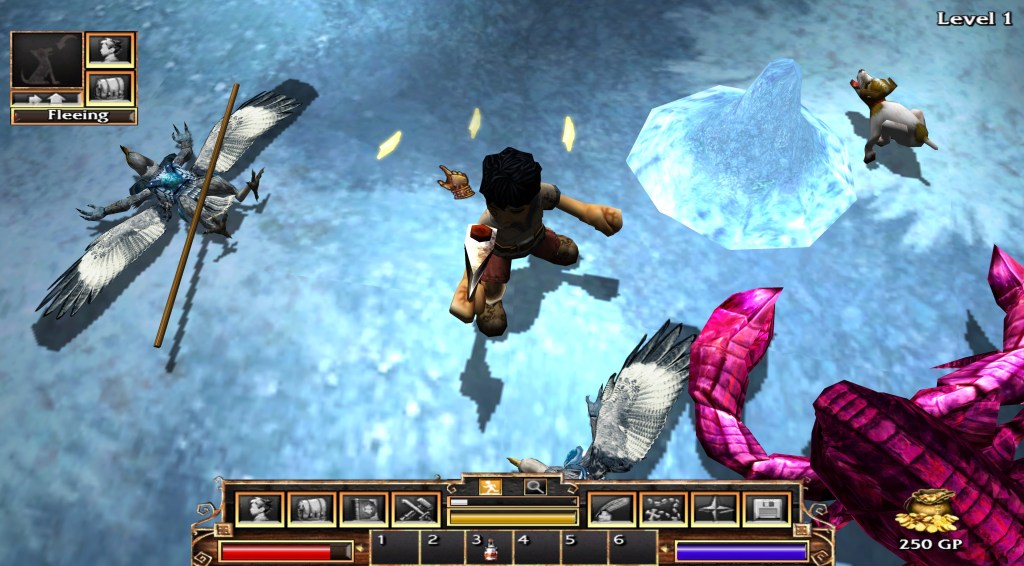
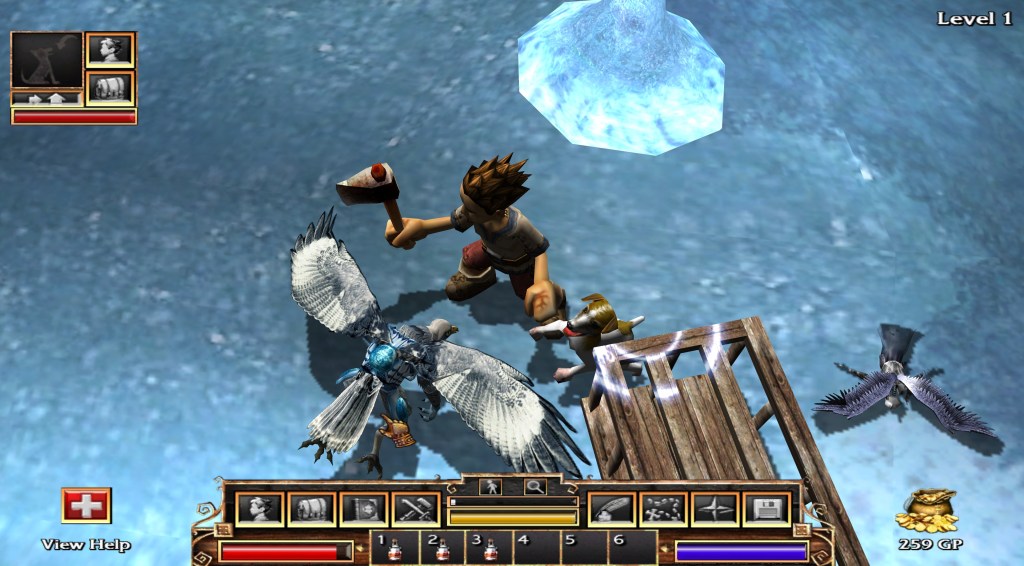
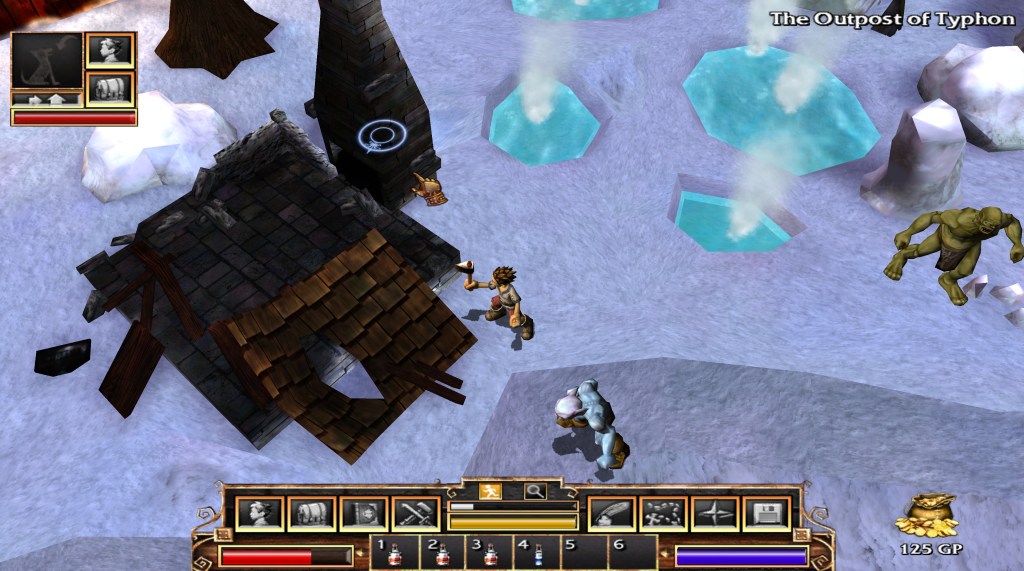
    You can see in the screenshot (even if you don’t have a 4K monitor) that the character models are actually quite detailed. In 4K, they really stand out and don’t really need any work. Well, I could do a little but I digress… they are perfectly nice. However, as you can see in the “snow/ice” texture, the non-character models are blurry low-resolution messes. Basically, they are tiled 128×128 textures. They are so dramatically worse than the character/object textures in 4K. The buildings are also very low resolution…which is even more boggling since they don’t blend into the background like the landscaping. That is when I got inspired…to fix the disparity.

    Getting better….

    The above (partially complete) picture is post landscape editing. For the record, I’m still not crazy happy about it but small steps. The landscapes textures have revealed the oddities of the engine. A few places where they don’t actually blend and such, but not too much. The real work and most dramatic change was the building and landscape objects…but that is for next time.

    • Martin
  • The Magnificent Seven

    The Magnificent Seven

    Jiub has competition

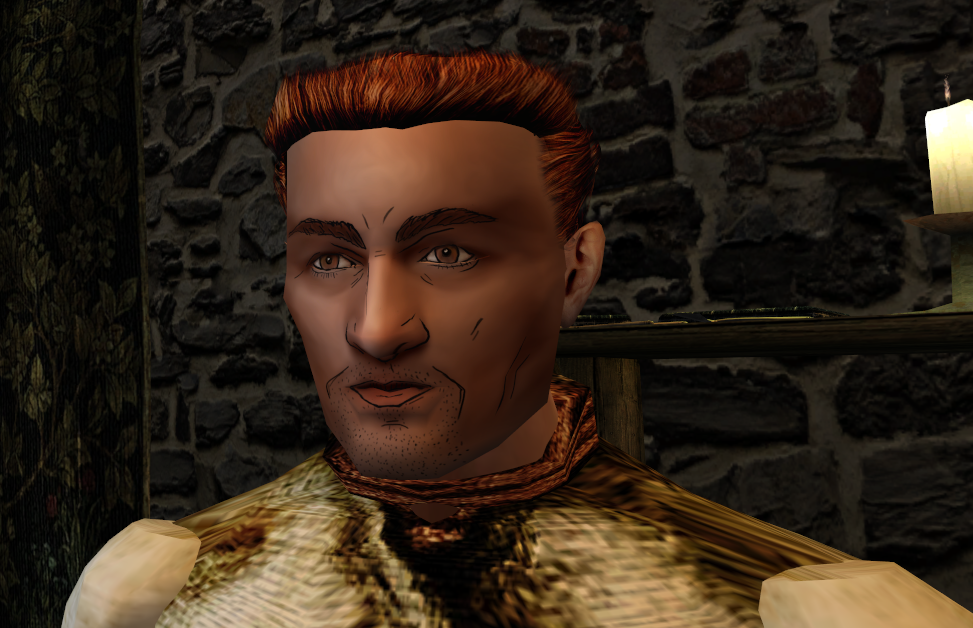
    The first texture for my Borderland’s Morrowind experiment was Jiub. Jiub turned out merely OK. The lines were too thick and not well planned. Below you can see the other six textures I did for the original “vanilla” Morrowind head meshes.


    Evolution in style

    I think these pictures show how quick I progressed.  They also show how I tried out different styles (such as #1’s beard and then #6). I felt I had reached a good grove. I drew the lines, smoothed the face texture out and added minor highlights and shadows. Another thing that evolved over time was the eyes, the original ones were indistinct and dead looking so I tried to add some highlights to make them pop a little better. If I hadn’t stated it, I’m taking artistic license with the Borderlands style and adding my personal touch.

    Nifskope

    I used a program called Nifskope to aid my in visualizing the changes I was making. Nifskope displays the 3d models (meshs) from Morrowind with the textures overlaid. This way I could see how it would look without having to tediously check in game. It allows rotating and zooming in/out.It is also where I discovered that the ears portion on the main textures was not actually used. Apparently at some point in development, Bethesda Softworks decided to make the ears actually 3D meshs that attach to the head and have their own texture.

    Here are some of the heads in Nifskope:


    Coming of Jiub 2.0

    It was after the sixth, which I was pretty proud of, that I decided that the vanilla heads were just TOO terrible to continue with them. I did a quick refresher on the most popular mesh replaces (Morrowind has quite a few after 15 years). I waffled back and forth between the classic mod Better Heads and a more expansive mod that provides unique faces for every NPC. Obviously the every face version would take some work but the real reason I chose the mod Westly’s Pluginless Head Replacer is that it’s closest to the vanilla experience. I also figured, if I every wanted to go all the way with this, doing the faces was already down to 1/2 hr at the end of just 7 textures so it wouldn’t hurt to do the rest in a different face pack. Westly’s mod directly replaces the old model and doesn’t require a ESP MOD plugin activated to make it work (as vanilla friendly as possible).

    Westly Heads

    Westly’s mod ups the polygon mesh in the head models and has much higher resolution textures (4x  as big, if I remember correctly). Higher resolution textures allows for better detail and finer smoother lines. My main complaint is that the heads all similar sizes/shape where the original heads had a few that had unique structures (narrow chins, deep eye sockets, etc). I only did one head in this new pack….Jiub. As you can see it’s a dramatic difference from version 1.0.

    Overall, I have to say that doing these textures in a borderlands style is actually EASIER than the tiny pixel by pixel editing of Arena’s textures. I will probably come back to this some more. I’m still curious how I would apply this technique to objects and architecture in the game.

    – Martin

  • Experiments in Art Style

    Experiments in Art Style

    Art Concepts

    Since I have limited time to focus on leisurely activities, a lot of what I do with game art falls more into the “Proof of Concept” category. I have an idea about what would be an interesting visual change for me and I merely want to see it in game. For example, for the Darkstone project, I was going for the look of dry erase crayons on a dark dry erase board.

    Exit to Forest
    Exit to Forest

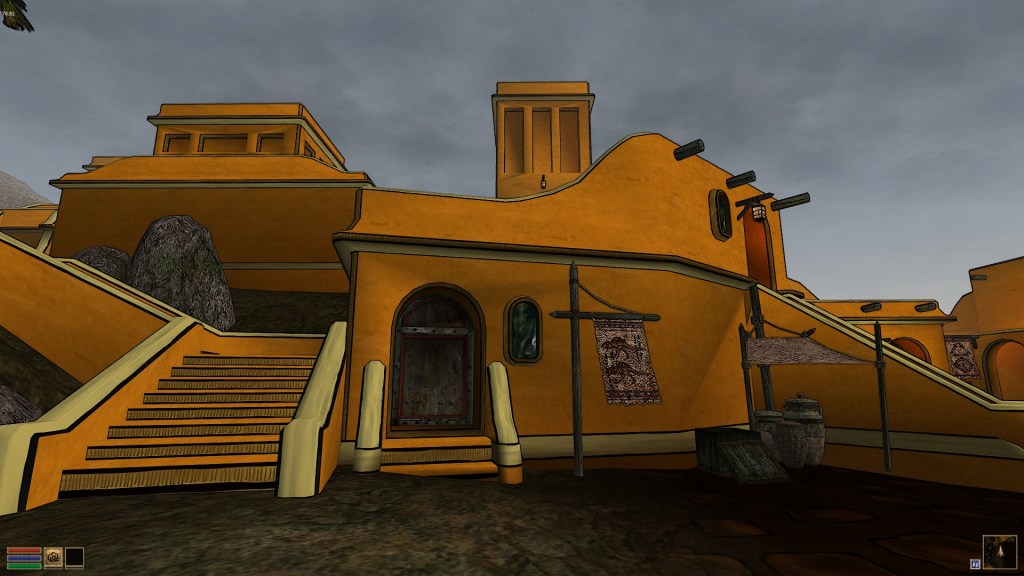
    For Morrowind, I simulated a cell shader (cartoon) effect with build in black outlines. Note: when I first made those textures, Borderlands hadn’t been released. However, I had already realized that it looked better to have the solid colors have some kind of texture behind them for visual interest.

    MGE Screenshot 2

    Fast forward to Today

    I was messing around with my new art tablet last month and saw if I could replicate the style of Borderlands in Morrowind, at least as a proof of concept. I did some research for tips on the best way to replicate the effect and found a YouTube video that explained a method that a got very close to the games style.

    I experimented on the vanilla Morrowind face textures. They are awful and look hideous in the game. My logic being that adding the “borderlands” style texturing might add enough interest to make them worthy of keeping versus using model replacer mod (may mods replace the heads). The original textures used for faces were very low resolution, inaccurate (sloppily made) and just ugly as all get out.

    Ugly Vanilla
    Some one beat him with the Vanilla Game ugly stick

    Morrowlands?

    I started by doing the heads in the order of the characters you run into when you start a new game. I redid 5 faces. It was easier than I thought.

    Jiub Vanilla Base to Borderland

    I’ll detail it out next time, but for a teaser here’s what “vanilla” jiub looked like when I was done. I’ll explain the irregularities next time.

    – Martin

  • Witness this fully operational Battle…errr…Art Station

    Witness this fully operational Battle…errr…Art Station

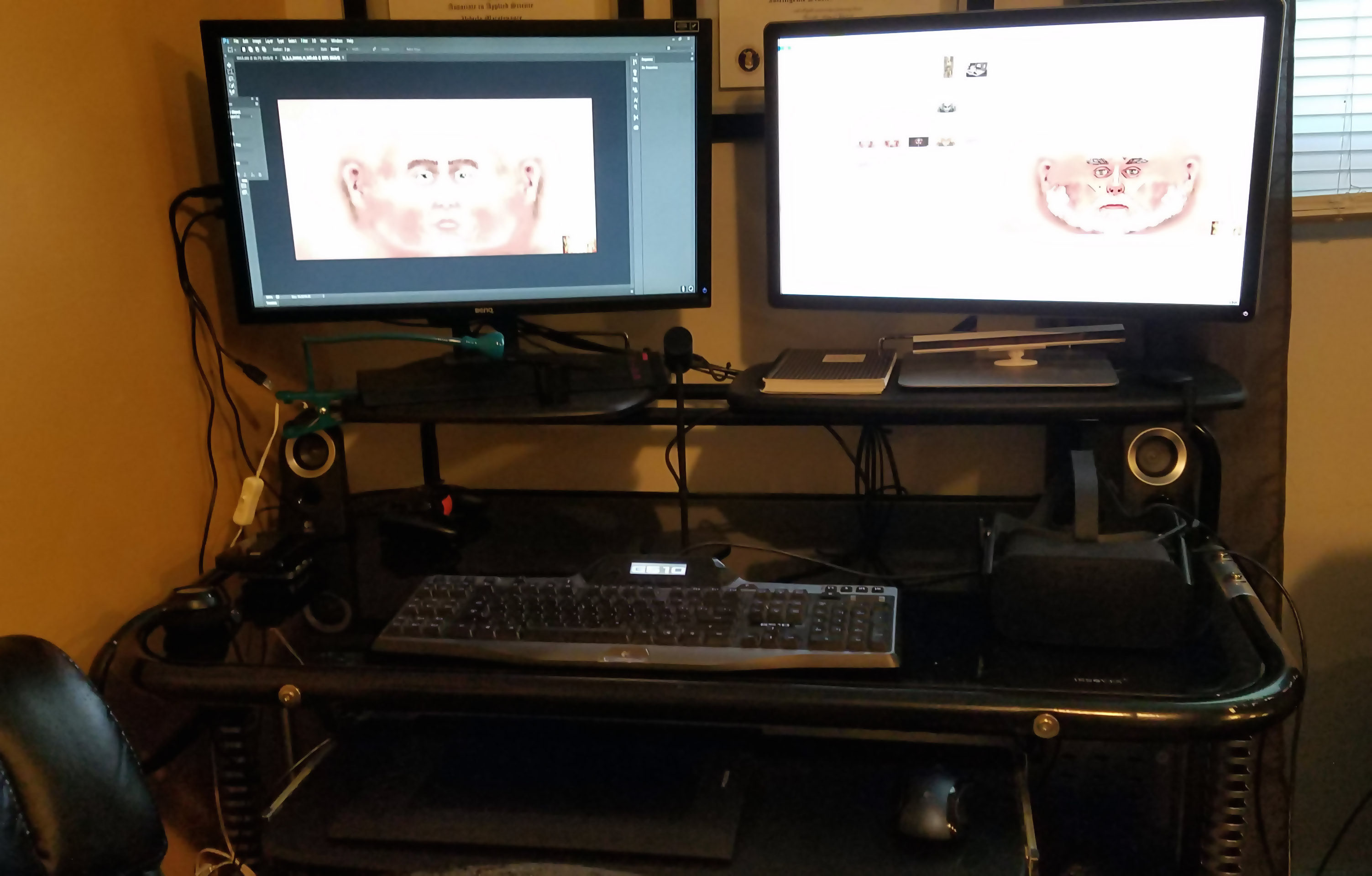
    Tech Nirvana

    The same week I got my new art tablet, I had finally overclocked my computer and received my Oculus Rift in the mail. It’s not too hard to imagine that it was more of a Tech In Pinkerton than an Art In Pinkerton kind of week. For the last two weeks, I have squandered quite some time playing with my new VR gizmo, which means I spent less time on other, more artsy endeavors 😉
    Nerdmaggedon has arrived!
    Nerdmaggedon has arrived!

    Tech Nerd Note: Years ago when I built my computer, I bought a CPU chip (I7-2600K) that was designed to be overclocked, but I never bothered since it was already (and still is) very capable. I finally gave it a go and ended up boosting the speed from 3.4 Ghz to 4.4Ghz (about 25% more power) with minor change in temperature. All I had to do was change two settings in the BIOS and voila…instant faster computer.

    I also upgraded my computer desk and arranged my setup so it’s much more aesthetically appealing and has space for using the Oculus Rift.

    Desk
    Me likey


    It’s not all for naught

    I found time to play with my new tablet, though. I took its arrival as a cue to transition over to Photoshop from GIMP. I have to say; it has taken a few weeks for me to adjust to how different it is. I feel like I have taken two steps back, but I know I will catch up to speed pretty quickly. I just have to do a little more “google research” to figure out how to do things than I did with GIMP in a long time.

    N’Wah

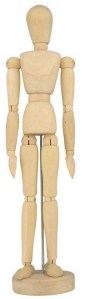
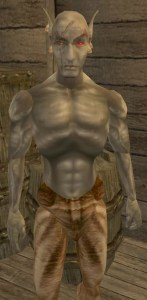
    Now that I had my new art tablet, I really wanted to see what it could do, and clicking individual pixels for the Arena Depixelization Project would not scratch that itch (sorry, it’ll be back on the agenda soon). I’m not sure if I mentioned this, but my favorite video game of all time is The Elder Scrolls: Morrowind. Atmospherically, it’s an amazing setting. However, it’s from early 2000s and a little clunky. The 3d models of the characters are blocky, like those poseable wooden art figures (composed of multiple separate 3D meshes). The textures are low res, blurry, and sometimes quite questionable in their construction. As seen in my Morrowind screenshot directory, I have experimented with that game before.

    What is old, is new again

    I had a (kind of) new idea. I wanted to see if I could add a Borderlands style look to that game. It is only meant as a proof of concept rather than a full mod, though. As seen in the screenshots for my various projects, the cartoon concept a recurring theme for me (it just takes different forms). It’s an “easy” way to turn an art direction on its head and give it a little more interest. The difference this time from the last time I fiddled with Morrowind’s art assets is that, besides having Borderlands as an inspiration, I’m not brand new to computer graphics this time. I have completed a few textures already, but will save that for another post.  – Martin

  • Tablet 2.0

    Tablet 2.0

    UpgradeHurion 650 Pro

    Over a month ago, the pen for my trusty Wacom Bamboo tablet (see first post ever) broke. This was quite disheartening as I love having an art tablet and it was hard to be motivated without it.

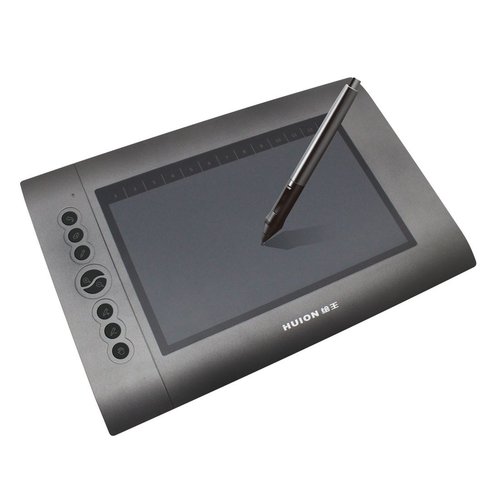
    After much research and reflection, I have finally picked up a new tablet: the Hurion 650 Pro. The great thing about it (besides the very positive ratings) is that it functions at the level of the middle tier Wacom products but only cost $79 US dollars on Amazon.  I can’t wait to take advantage of the added features it brings.

    Breaking it in

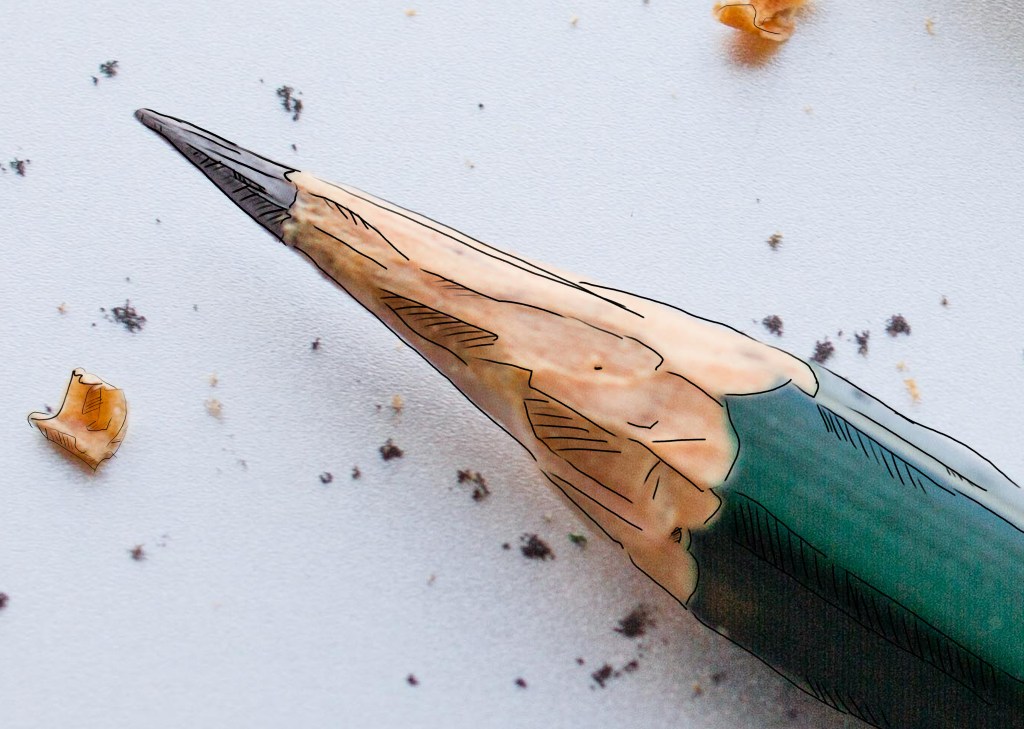
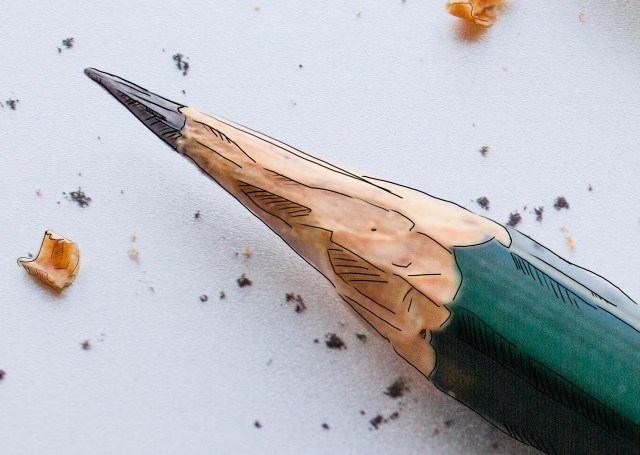
    After it got installed, I fiddle with my new toy using GIMP (side note: really tiring of using GIMP and its limitations). I was working on a homework project and had a picture of a pencil loaded. Just for fun, I attempted a very hasty and crude pencil outline of the pencil. It’s rough but I’m sentimental and it’s the first official drawing on the Hurion. I merely looked to trace the major lines and add some crosshatching…I wasn’t very attentive to keeping straight lines because this was more to test out the tablet than make art. However, I like it anyway.

    – Martin

    My first creation on the Hurion 650 Pro
    My first creation on the Hurion 650 Pro