Blog

  • The Magnificent Seven

    The Magnificent Seven

    Jiub has competition

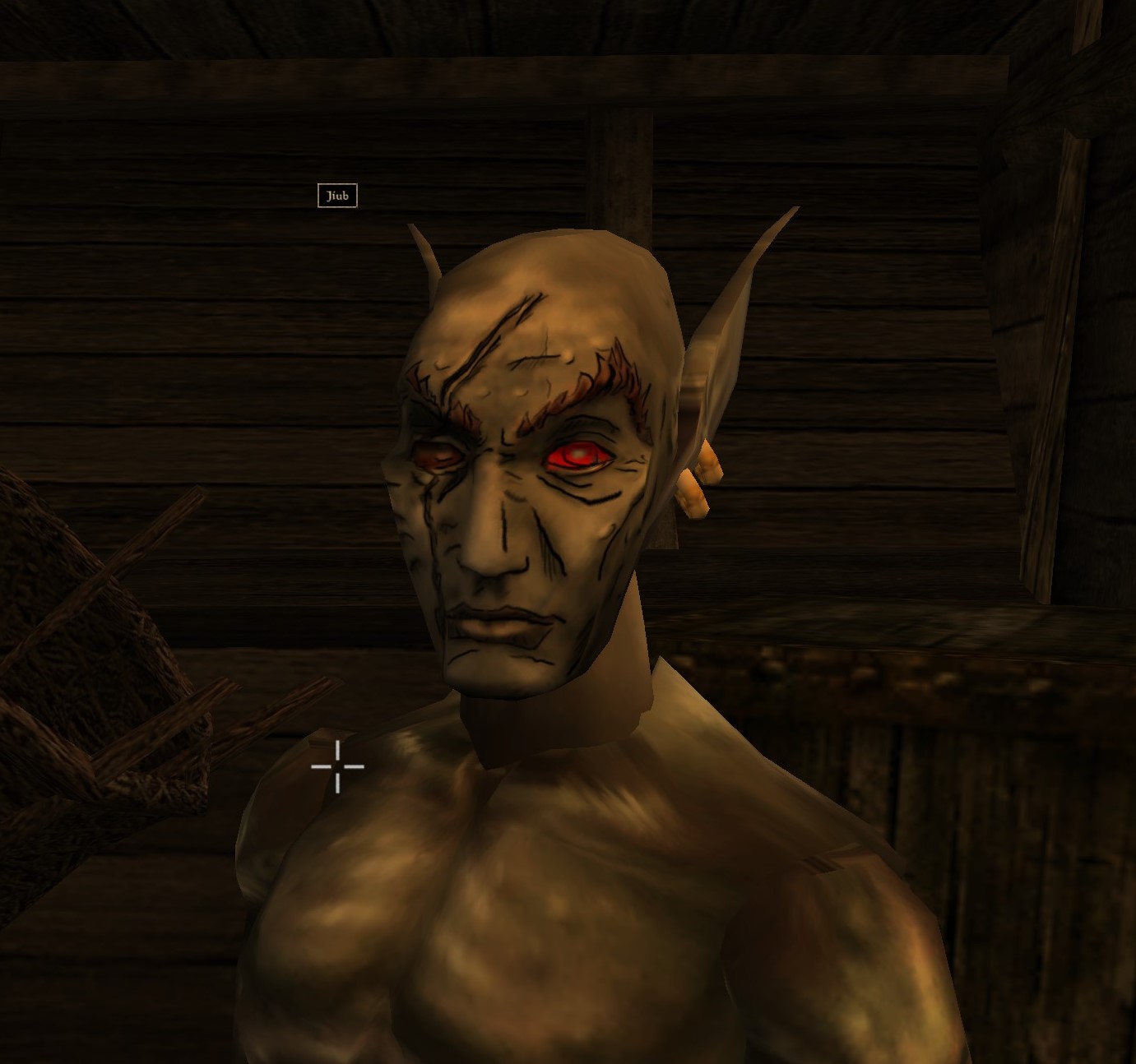
    The first texture for my Borderland’s Morrowind experiment was Jiub. Jiub turned out merely OK. The lines were too thick and not well planned. Below you can see the other six textures I did for the original “vanilla” Morrowind head meshes.


    Evolution in style

    I think these pictures show how quick I progressed.  They also show how I tried out different styles (such as #1’s beard and then #6). I felt I had reached a good grove. I drew the lines, smoothed the face texture out and added minor highlights and shadows. Another thing that evolved over time was the eyes, the original ones were indistinct and dead looking so I tried to add some highlights to make them pop a little better. If I hadn’t stated it, I’m taking artistic license with the Borderlands style and adding my personal touch.

    Nifskope

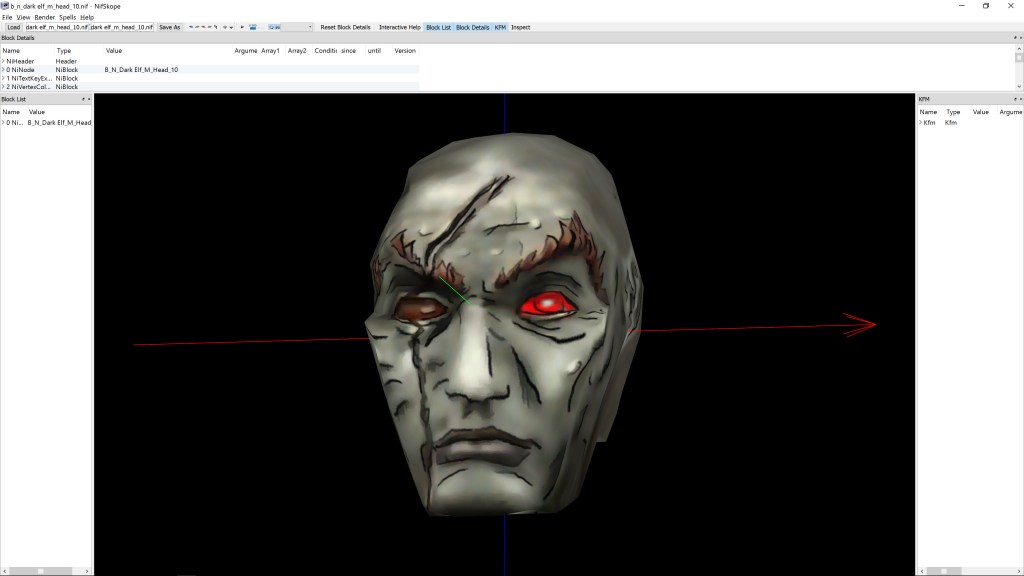
    I used a program called Nifskope to aid my in visualizing the changes I was making. Nifskope displays the 3d models (meshs) from Morrowind with the textures overlaid. This way I could see how it would look without having to tediously check in game. It allows rotating and zooming in/out.It is also where I discovered that the ears portion on the main textures was not actually used. Apparently at some point in development, Bethesda Softworks decided to make the ears actually 3D meshs that attach to the head and have their own texture.

    Here are some of the heads in Nifskope:


    Coming of Jiub 2.0

    It was after the sixth, which I was pretty proud of, that I decided that the vanilla heads were just TOO terrible to continue with them. I did a quick refresher on the most popular mesh replaces (Morrowind has quite a few after 15 years). I waffled back and forth between the classic mod Better Heads and a more expansive mod that provides unique faces for every NPC. Obviously the every face version would take some work but the real reason I chose the mod Westly’s Pluginless Head Replacer is that it’s closest to the vanilla experience. I also figured, if I every wanted to go all the way with this, doing the faces was already down to 1/2 hr at the end of just 7 textures so it wouldn’t hurt to do the rest in a different face pack. Westly’s mod directly replaces the old model and doesn’t require a ESP MOD plugin activated to make it work (as vanilla friendly as possible).

    Westly Heads

    Westly’s mod ups the polygon mesh in the head models and has much higher resolution textures (4x  as big, if I remember correctly). Higher resolution textures allows for better detail and finer smoother lines. My main complaint is that the heads all similar sizes/shape where the original heads had a few that had unique structures (narrow chins, deep eye sockets, etc). I only did one head in this new pack….Jiub. As you can see it’s a dramatic difference from version 1.0.

    Overall, I have to say that doing these textures in a borderlands style is actually EASIER than the tiny pixel by pixel editing of Arena’s textures. I will probably come back to this some more. I’m still curious how I would apply this technique to objects and architecture in the game.

    – Martin

  • Cork on a fork

    Cork on a fork

    This is Jiub. Jiub is the first person you see in Morrowind. He also has a fairly unique head so it was fitting to use him as my first experiment. Easy to test. This Jiub, being my first attempt, is a little crude compared to the later images. The transition as I refined the style is apparent. So here’s what I did.


    55fiqg
    I was watching you sleep

    Resize

    The initial resolution was 256 x 128 pixels. That’s not a lot of room for sharp lines and clarity. Additionally, it’s a good idea to work big and then shrink as needed so I resized the image to 2048 x 1024, keeping the aspect ratio but increasing the size by 8 times. As the fine lines of the borderland style are important, a higher resolution is preferable.  (I tested it when done and shrinking down to 512 x 256 looked OK but 1026 x 512 was ideal for size vs detail).

    Create layers

    I duplicated the image into two additional layers. I do this so I can have a pristine backup, a working copy and high pass copy (if needed). The high pass allows me to see the areas needing outlines more clearly. I don’t always use it but it’s handy if needed. I created a new layer that is transparent to be my actual canvas for the black outlining. Showing but underneath the active layer would be the working copy or the highpass copy to use as the base reference.

    Outline

    tx_b_n_dark elf_m_h09
    Jiub 1.0…crude untapered thick lines

    Like the video linked in my last post, I started creating outlines highlighting particular feature areas that stood out for change in shape. My  variation on this style leans more to outlining surfaces with changes in height but not color fluctuations (e.g. later on when I get to tattoos, I likely won’t outline the tattoo.) I looked for distinctive wrinkles and natural feature as well as abrupt marks like the scar.

    As you can see in Jiub 1.0, I failed to refine the lines after I finished outlining. I didn’t use shape dynamics or taper and thin out the lines. Crosshatching was also minimal.

    Check

    Jiub Vanilla Base to Borderland
    NifSkope and Jiub 1.0

    I used a program called NifSkope that lets you see meshes rendered with textures and animation if applicable. It was there that I saw how odd the texture stretched due to the 3d model’s crude animation and UV texture mapping. The eyes looked really weird as the mesh just stretched down a single point to mimic blinking but the texture stretched the area above the eye down with it. The mouth opened up very much like the canadians in South Park. Because of that, I had to go back and adjust the lines to minimize the line bleeding when the textures stretched.  You can also see where the original texture has errors such as the red eye’s inner lower corner bleeding onto the eyelid.

    Tweak

    Because this is a more cartoon-like look, I experimented with using an unsharpen filter on the working copy of the original image to exaggerate the colors and then a smart blur to blend the blemishes away some. Additionally, I added shadows and highlights by drawing on a new layer black and white respectively at 50% opacity and then blurring it to look like light smudging.

    Next time, I show the other, more refined textures I completed AND Jiub 2.0.

    – Martin
    20160606075309_1
    He fell passed out drunk and the guards found a Sharpee
  • Experiments in Art Style

    Experiments in Art Style

    Art Concepts

    Since I have limited time to focus on leisurely activities, a lot of what I do with game art falls more into the “Proof of Concept” category. I have an idea about what would be an interesting visual change for me and I merely want to see it in game. For example, for the Darkstone project, I was going for the look of dry erase crayons on a dark dry erase board.

    Exit to Forest
    Exit to Forest

    For Morrowind, I simulated a cell shader (cartoon) effect with build in black outlines. Note: when I first made those textures, Borderlands hadn’t been released. However, I had already realized that it looked better to have the solid colors have some kind of texture behind them for visual interest.

    MGE Screenshot 2

    Fast forward to Today

    I was messing around with my new art tablet last month and saw if I could replicate the style of Borderlands in Morrowind, at least as a proof of concept. I did some research for tips on the best way to replicate the effect and found a YouTube video that explained a method that a got very close to the games style.

    I experimented on the vanilla Morrowind face textures. They are awful and look hideous in the game. My logic being that adding the “borderlands” style texturing might add enough interest to make them worthy of keeping versus using model replacer mod (may mods replace the heads). The original textures used for faces were very low resolution, inaccurate (sloppily made) and just ugly as all get out.

    Ugly Vanilla
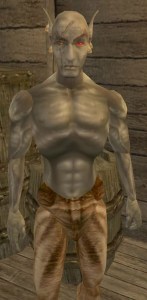
    Some one beat him with the Vanilla Game ugly stick

    Morrowlands?

    I started by doing the heads in the order of the characters you run into when you start a new game. I redid 5 faces. It was easier than I thought.

    Jiub Vanilla Base to Borderland

    I’ll detail it out next time, but for a teaser here’s what “vanilla” jiub looked like when I was done. I’ll explain the irregularities next time.

    – Martin

  • Witness this fully operational Battle…errr…Art Station

    Witness this fully operational Battle…errr…Art Station

    Tech Nirvana

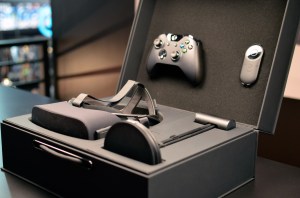
    The same week I got my new art tablet, I had finally overclocked my computer and received my Oculus Rift in the mail. It’s not too hard to imagine that it was more of a Tech In Pinkerton than an Art In Pinkerton kind of week. For the last two weeks, I have squandered quite some time playing with my new VR gizmo, which means I spent less time on other, more artsy endeavors 😉

    Nerdmaggedon has arrived!
    Nerdmaggedon has arrived!

    Tech Nerd Note: Years ago when I built my computer, I bought a CPU chip (I7-2600K) that was designed to be overclocked, but I never bothered since it was already (and still is) very capable. I finally gave it a go and ended up boosting the speed from 3.4 Ghz to 4.4Ghz (about 25% more power) with minor change in temperature. All I had to do was change two settings in the BIOS and voila…instant faster computer.

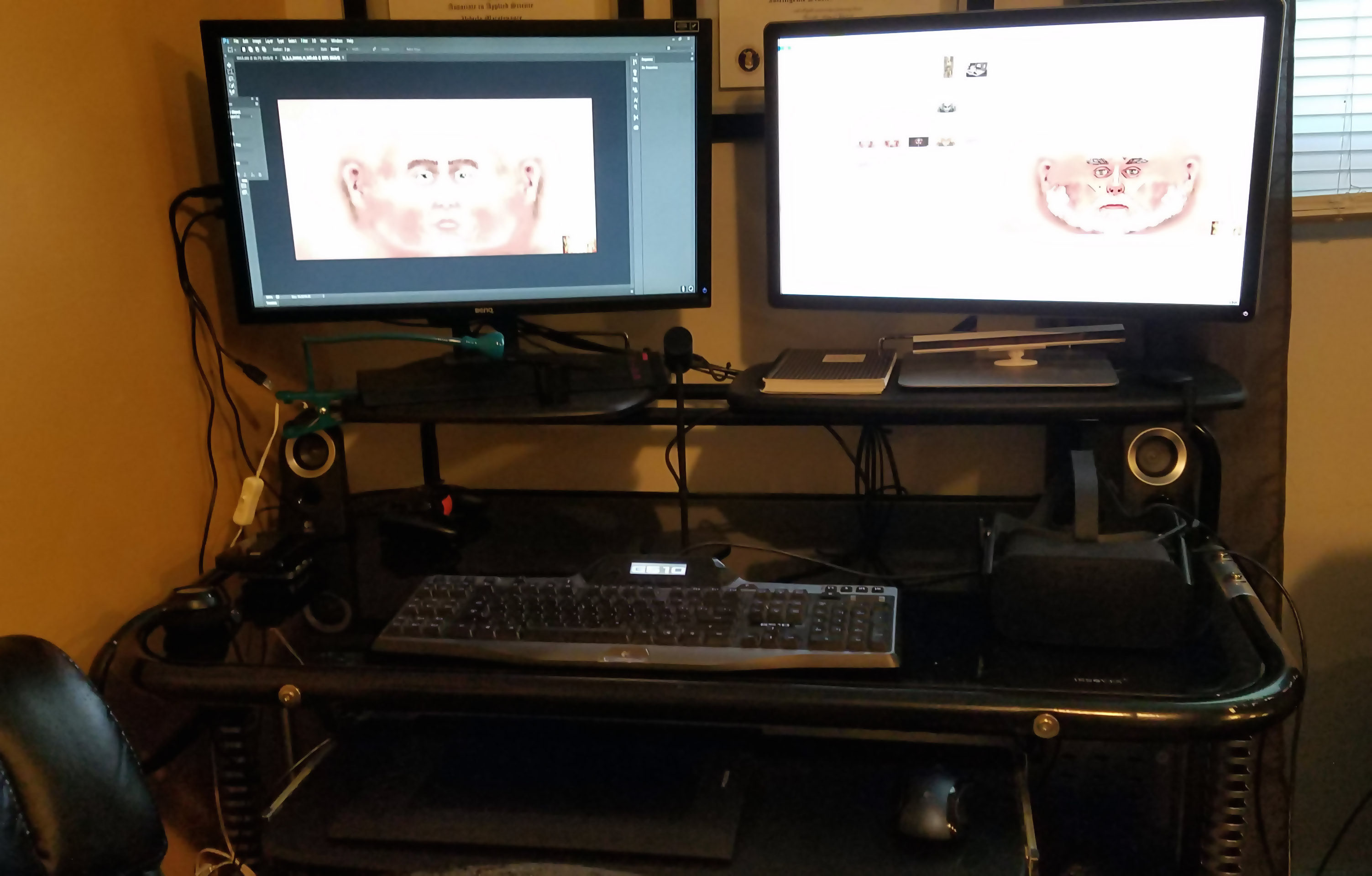
    I also upgraded my computer desk and arranged my setup so it’s much more aesthetically appealing and has space for using the Oculus Rift.

    Desk
    Me likey


    It’s not all for naught

    I found time to play with my new tablet, though. I took its arrival as a cue to transition over to Photoshop from GIMP. I have to say; it has taken a few weeks for me to adjust to how different it is. I feel like I have taken two steps back, but I know I will catch up to speed pretty quickly. I just have to do a little more “google research” to figure out how to do things than I did with GIMP in a long time.

    N’Wah

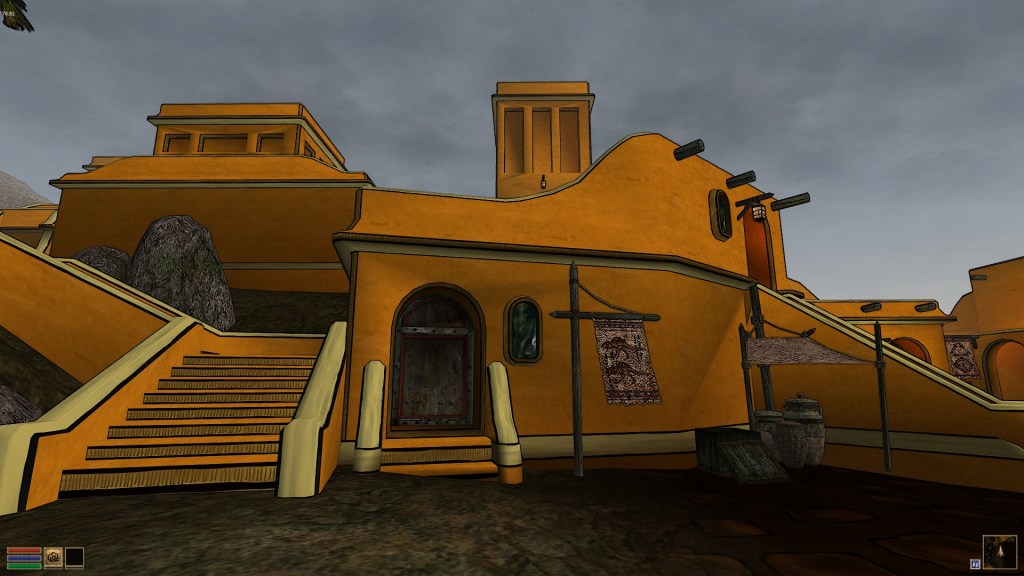
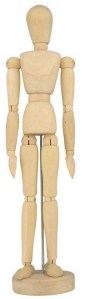
    Now that I had my new art tablet, I really wanted to see what it could do, and clicking individual pixels for the Arena Depixelization Project would not scratch that itch (sorry, it’ll be back on the agenda soon). I’m not sure if I mentioned this, but my favorite video game of all time is The Elder Scrolls: Morrowind. Atmospherically, it’s an amazing setting. However, it’s from early 2000s and a little clunky. The 3d models of the characters are blocky, like those poseable wooden art figures (composed of multiple separate 3D meshes). The textures are low res, blurry, and sometimes quite questionable in their construction. As seen in my Morrowind screenshot directory, I have experimented with that game before.

    What is old, is new again

    I had a (kind of) new idea. I wanted to see if I could add a Borderlands style look to that game. It is only meant as a proof of concept rather than a full mod, though. As seen in the screenshots for my various projects, the cartoon concept a recurring theme for me (it just takes different forms). It’s an “easy” way to turn an art direction on its head and give it a little more interest. The difference this time from the last time I fiddled with Morrowind’s art assets is that, besides having Borderlands as an inspiration, I’m not brand new to computer graphics this time. I have completed a few textures already, but will save that for another post.  – Martin
  • Tablet 2.0

    Tablet 2.0

    UpgradeHurion 650 Pro

    Over a month ago, the pen for my trusty Wacom Bamboo tablet (see first post ever) broke. This was quite disheartening as I love having an art tablet and it was hard to be motivated without it.

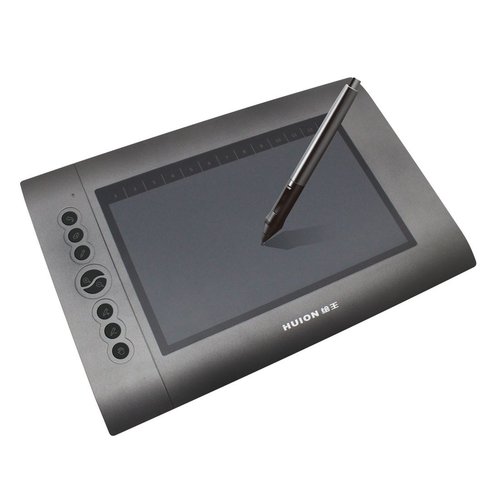
    After much research and reflection, I have finally picked up a new tablet: the Hurion 650 Pro. The great thing about it (besides the very positive ratings) is that it functions at the level of the middle tier Wacom products but only cost $79 US dollars on Amazon.  I can’t wait to take advantage of the added features it brings.

    Breaking it in

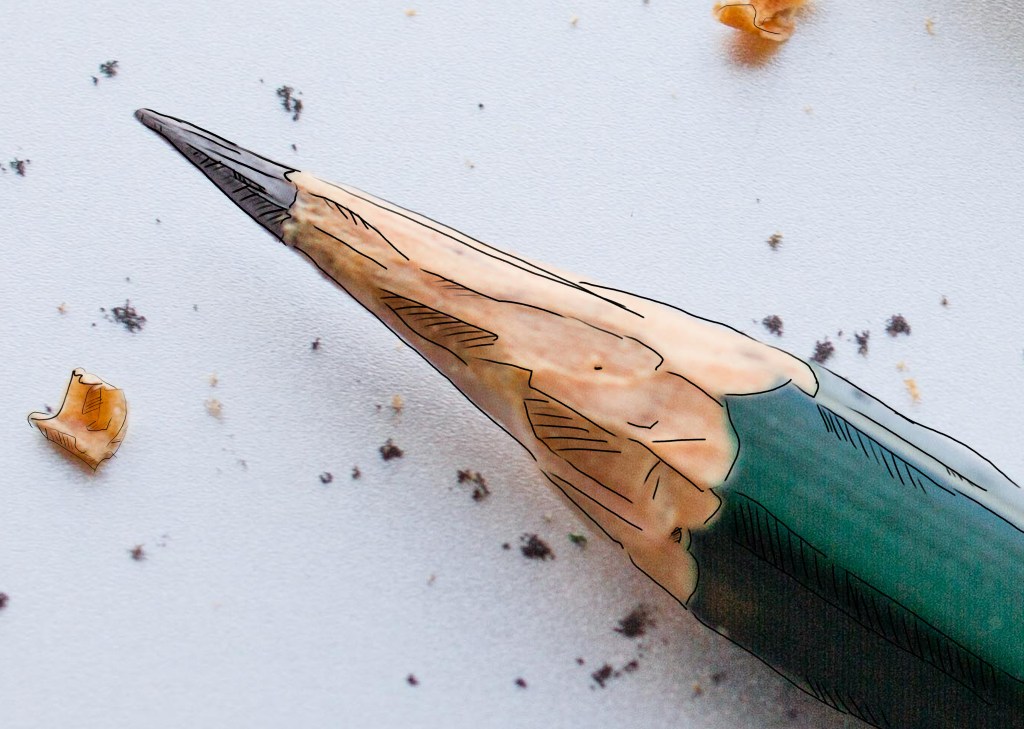
    After it got installed, I fiddle with my new toy using GIMP (side note: really tiring of using GIMP and its limitations). I was working on a homework project and had a picture of a pencil loaded. Just for fun, I attempted a very hasty and crude pencil outline of the pencil. It’s rough but I’m sentimental and it’s the first official drawing on the Hurion. I merely looked to trace the major lines and add some crosshatching…I wasn’t very attentive to keeping straight lines because this was more to test out the tablet than make art. However, I like it anyway.

    – Martin

    My first creation on the Hurion 650 Pro
    My first creation on the Hurion 650 Pro

  • Slow clicking…

    Slow clicking…

    Unlock

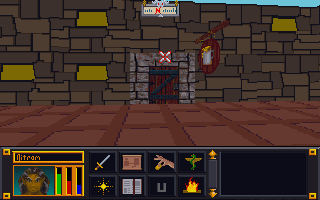
    Super busy in RL (real life) but I’m slugging away when I can. I have 73 doors completed so far (about 2/3 of the total). It is quite a pain coming up with so many unique doors based on the few variations Bethesda used over and over. However, I want to do it right to add variety so I only do a few then wait a day or two for more inspiration.

    EDIT: Two every couple of days…HA! I posted this late at night. When I woke up the next morning, I busted out 5 more than that night I did another 10. (To be fair; I haven’t done the cut and pasting of the wall SET textures backgrounds to match the new doors, so I’m really only doing the doors right now).

    EDIT2: I don’t look forward to this one….

    PGATE

    – Martin

  • Rolling a critical failure

    Windows to the soul

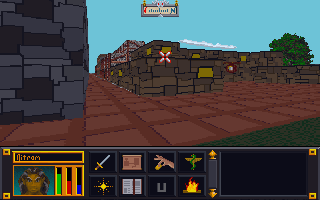
    Recently while playing around with “vanilla” (unaltered) Arena, I noticed that the windows turn on an off for day and night. I believe this is based on the window color being pure white. In quite a few of the SET files, I had made the windows yellow breaking the on/off effect. It’s an easy fix though.

    Revised city wall and road
    The most exciting screenshot EVER!


    Borked Windows

    Caveat: I’m a hopeless tech nerd.

    I like trying out software and technology. Things like text-to-speech, software debugging, emulators, etc. are like candy to me. Why is this on an art blog….err i mean…collegiate journal? Because sometimes I mess stuff up. This time I was trying to get a Windows XP/7 program that doesn’t like Windows 10 to install on my computer. In doing so, I borked my login so that it wouldn’t accept my password. From that point started a chain of events (all my own doing) to fix it that made the situation worse and worse. Finally, I couldn’t even boot my machine. Seriously, I’m pretty good with tech but on this day I rolled a “1”.

    Long story short, I recently had to wipe my boot drive (no important files were on there but the OS) and install a clean Windows 10. I tried to cold turkey eliminate using GIMP since I already have Photoshop. That didn’t work too well. Photoshop is different enough that some very common things I was used to doing all the time in GIMP didn’t work. I’ll probably start watching some intro videos to see how Photoshop works before I try that again.

    All in all, not my proudest tech week (or two).

    MIF

    I did some research into the MAP files for Arena. However, I want to compile it in a cohesive manner so that post will wait till I feel it is ready enough. My hope is that the information that I have uncovered might help others if they decide to “crack” the format.

    Martin

  • I’ll take door number 4

    Doors

    A little slow this week but I have 35 of the IMG files done.  Even though several are repeats of the same image but a different name (one door is the same for 7 images), I am striving to make them different. Although they ARE listed in the INF file that are used as the key for the map files (MIFs), I think those files are based on templates that contain extraneous data and that many of these doors aren’t actually used in the game. I guess I’ll find out when I am doing my test play through after going Beta. – Martin


  • Doors and Floors


    Get it together man

    Now that I have finished the “walls and halls”, it’s time to renovate the doors and remaining floors. I have finished almost all the ground textures though (well a few could used tweaked too). In the past, I just worked directly in the directory where I extracted the files and reinserted them into the BSA from there. However since there are so many IMG files (949 to be exact) and that isn’t the cleanest way to work from a project management perspective, I pulled all the door files out to a separate folder/workspace and created a completed folder to use for importing files back to the BSA.

    Tavern with old door art
    Must have ran out of paint

    Doors, Doors, Everywhere there are Doors

    There are 112 door files not including non-doors that would serve as potential transition points (e.g. ladder up/down, stairs, etc..there are about 12 of those). These IMG files come in two variety, framed and whole texture.

    I’ve been framed

    The framed doors are “framed” with the texture of the building to which they belong (e.g. the Mage Guild door has a frame art that matches the building).  To do these, I’ll just copy and paste a wall from the matching set file and layer it under the door so it’ll be a perfect fit with the rest of the building. All exteriors and some interior doors are framed doors, pretty much any door that transitions between outside and inside.


    That’s no small wall…it’s a door!

    The other type of door is the whole texture door. I have done a few of these previously as you can see in the screenshot. These doors belong to all the interior rooms and are the ones that swing open so you can enter a room. Although they are relatively simple (as they repeat the same textures over and over for different files), I’m hoping to add a little more variety to them.


    First things first though, I will test to see if each IMG file is used in game (i’ll probably do them in batches). I have already found several that aren’t. I will likely still redo them just in case. Worst case scenario, if I ever can get anyone to figure out how to decipher the MTF files, I will use them to make new dungeons and buildings.

    – Martin

    ,

  • Do not fear it is “I”

    Letters count?

    Awhile back I had posted that I had learned that I could update the font files. I never liked the font in Arena as it was too flowery for readability at such a low resolution. Each letter in the fonts was ranged from 3×3 to 8×8 pixels in size. They were all really just super small pictures.

    A little rough but it works
    A little rough but it works

    If I build it, I’ll build it thrice

    I wasn’t satisfied with my previous attempts and decided to quickly rebuild them again. This time, I tested each one out in game to see how well the effect worked. Surprisingly, this took more time than I imagined and I ended up completely revamping each font file 3-4 times till I was happy with them. In game testing allowed me to see where I missed or added a space, what characters didn’t look right, and generally if the font looked ok when playing. As you can see in the picture, the editor lets you click each pixel, one by one. While each character font file can have the spacing and padding adjusted using the slider (thus bigger or small amount of horizontal pixels), the height of the characters was fixed for each font file. Although it would be relatively easy to just rename one of the other font files that have a bigger height setting, I think that might play havok on how the game displays text and didn’t really see the need for it.

    Through some in for spares?

    To determine which font affected which portion of the game, I filled in a different set of characters in each font file as a solid box. Then I just looked to see which font was being used in each portion of the game containing text. Like with the art (and probably sound files), I found that not all fonts were used. Of the 10 font files included with the game, I have only been able to find 4 of them in game. Or at best, the others are used in some obscure corner of the game.

    NOTE: The screenshots were taken with a vanilla version of Arena since this mod will be released as a separate mod from ADP.

    UPDATE: I released TES Arena ReFonted on the nexus. You can get it here.

    – Martin