
256 color limitation
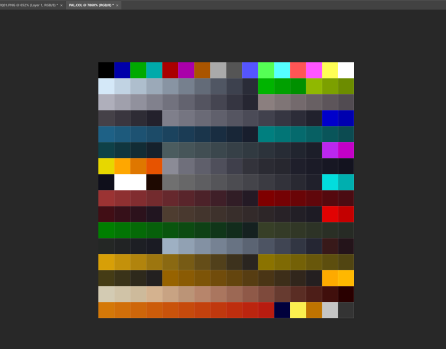
One of the tricky aspect of working with Arena textures is that they are only 256 colors AND that color information is indexed from a palette file. That means the image doesn’t have the color info in the file, it has a reference point to a master color file (this saved valuable space in the old timey 3 1/2 floppy days). Colors in an image have to be one of those exact colors in the palette file. To work around this, I have been only using colors in whatever image I was working on. It worked, but it can limit in being creative. I did most of the project this way.
DOH!
Now, but a scant mere 9 years later, I realized to import the color palette in as a raw image similar to how I first did early in my hobby working on another project. Once imported, I could create a Photoshop swatch of all the working colors and boom. I’m blond, what can I say.

More progress on actual files next update, although you can see a preview in the image above 🙂
– Martin
 Art In Pinkerton
Leave a comment